Invoices and Receipts
Every time a wallet top-up is credited, Onflow Ads emails you a branded receipt with a PDF invoice attached. It is sent automatically to your account email address the moment the credit lands — you never have to request it.
Why you would use this
- To reconcile a charge on your bank, card or crypto statement.
- To claim the spend as a business expense.
- To give support an exact reference when something needs looking into.
Before you start
Your receipts go to the email address on your account, so check it is right before your first top-up. Open https://onflowads.com/account and look at the Profile tab.
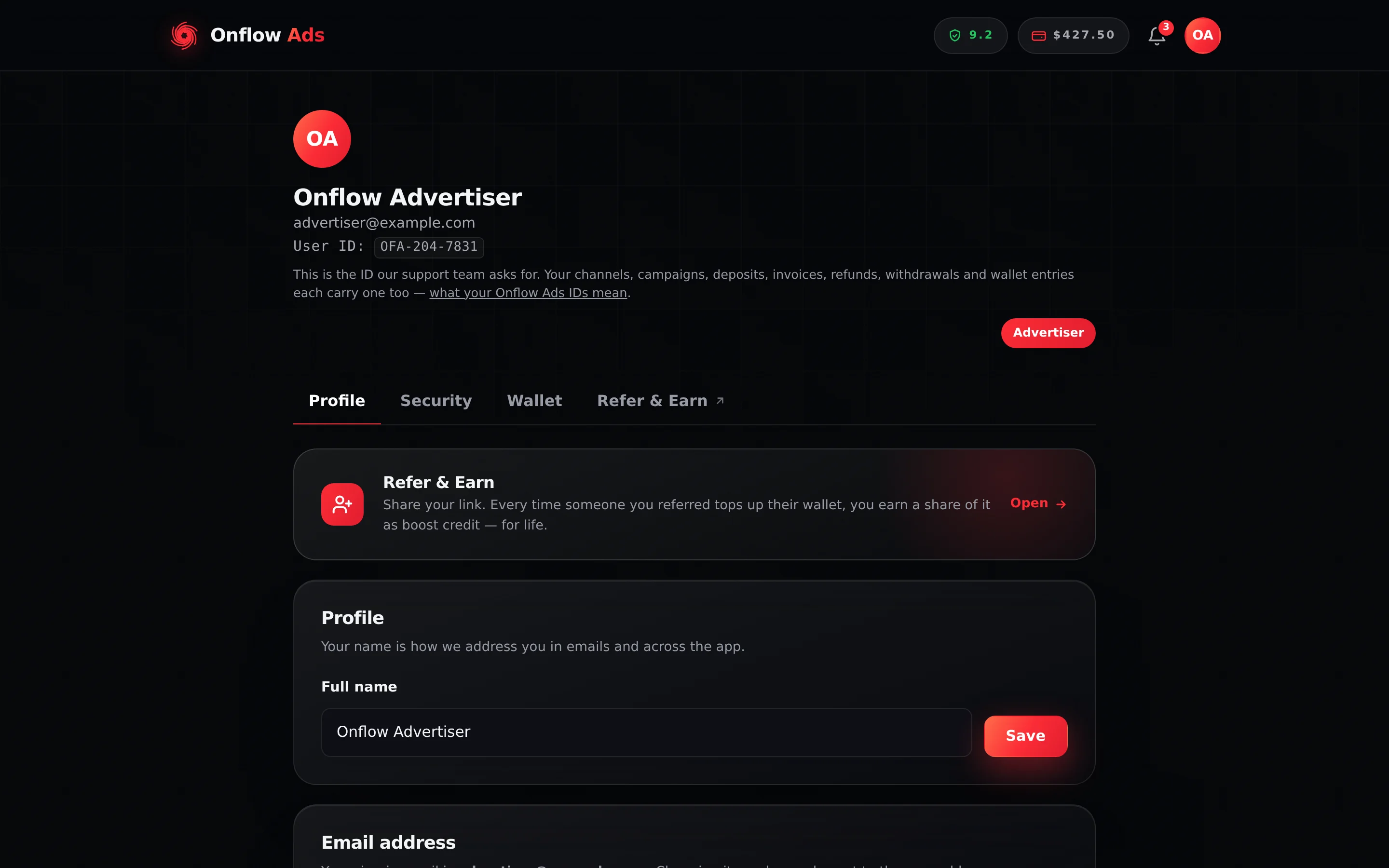
Plus plan · Advertiser. Account settings, Profile tab. The Email address card shows where your receipts will be sent. That address is your sign-in email, and it cannot be changed from this page.
A receipt cannot be re-addressed once it has been sent, and it goes to your sign-in email — which you cannot change yourself once it is set. If the Onflow Ads team ever moves your sign-in email for you, past receipts are not resent to the new address; support can resend one, but it is a request rather than something automatic. See Account Settings and Profile.
When an invoice is issued
| Event | Invoice issued? |
|---|---|
| A top-up is confirmed and credited | Yes — once, automatically |
| A top-up fails, expires, or is abandoned | No — nothing was collected |
| A Boost order, placement or plan is paid from your wallet | No — those are wallet spends, shown in Activity |
| A withdrawal is paid out | No — the OFW- reference in My withdrawals is your record |
| A top-up refund is approved | No — the refund reference is shown against the request |
Invoices exist for top-ups only, because a top-up is the point at which real money enters the platform. Everything after that is wallet movement, tracked in your Activity ledger.
The receipt email
- Subject line: "Your Onflow Ads receipt — $100.00 added (OFI-XXX-XXXX)", or "Your Onflow Ads receipt — $105.00 added, bonus included (OFI-XXX-XXXX)" when a wallet deposit bonus applied.
- Header: a green Payment received badge over the label Credited to your wallet and the credited figure in large type. That figure is deposit plus bonus, so it always equals what your balance went up by.
- Receipt details table (see below).
- A green Deposit bonus applied callout, when one did.
- A closing note explaining that the fees were added on top of your top-up, so the full amount you added is credited and yours to spend.
- An Open your wallet button linking to https://onflowads.com/account?tab=wallet.
- An ID strip carrying the Deposit ID (
OFD-…) and the Transaction ID (OFT-…). - The PDF invoice attached.
Reading the receipt details
| Row | What it shows |
|---|---|
| Invoice | A unique reference of the form OFI-XXX-XXXX. Quote this when contacting support — it's one of the Onflow Ads IDs, and it points at exactly one top-up. |
| Date | When the top-up was credited, in Indian Standard Time (IST). |
| Payment method | "UPI / Card" or "Cryptocurrency". |
| Processor | "Razorpay (UPI / card / netbanking)" or "OxaPay (crypto)". |
| Reference | The gateway's order reference for that specific top-up. |
| Added to wallet | The amount you asked to add — credited to your wallet in full. |
| Platform commission (X%) | The platform fee, added on top, with the effective percentage shown. |
| Payment processing fee | Only present when a processing fee applied. It is 0% for both methods today, so in practice this row does not appear. |
| Total paid | The figure that should match your bank, card or crypto statement exactly. |
| Exchange rate | UPI and card invoices only: the rate your credit was converted at, locked at payment time. |
| Deposit bonus | Extra wallet credit earned by the deposit, printed below Total paid because it is not part of what you paid. Only present when a bonus applied. |
| Credited to wallet | The USD amount added to your balance — deposit plus bonus. |
The platform fee is a percentage of the amount added, set by your plan, but with a per-method minimum ($2.00 on a crypto top-up, ₹200.00 on a UPI or card top-up). On a small top-up that minimum binds, so the fee works out as a higher effective percentage. The receipt prints the effective figure rather than the nominal one, so the number you read is the honest one. See Deposit Fees and Your Plan.
When the minimum fee has bound, the PDF invoice prints a sub-line beneath the commission row reading "9% on your plan, subject to a minimum fee", so both numbers are visible together.
The HTML receipt in the email body shows the effective percentage alone, with no sub-line. If you are trying to reconcile an effective rate against your plan's rate, open the attachment.
The PDF invoice
The attachment is a single-page A4 document, laid out as a conventional invoice:
| Area | Contents |
|---|---|
| Header | The Onflow Ads logo and legal name on the left; Receipt, the issue date and time, and the invoice number on the right. |
| Billed to panel | Your name (or Account holder if no name is set), your email (masked, the way the sign-in screen shows it), and your OFA- account ID. |
| Payment panel | The payment method, the processor, the provider reference and when it was paid. |
| PAID chip | A green chip confirming the payment was completed. |
| Line items | Wallet top-up (method) with the sub-line "Added to your wallet balance in full", then Platform commission (X%) — with your plan rate beneath it when the two differ — then Payment processing fee if one applied. |
| Total paid | The total collected, in the currency you were billed. |
| Deposit bonus | Below the total, when one applied. |
| Credited to wallet | The USD amount added to your balance, highlighted. |
| Exchange-rate footnote | UPI and card invoices: "Converted at 1 USD = ₹86.00 (rate locked at payment)." |
| Wallet balance after this top-up | Your balance once the credit landed. |
| Onflow Ads references | Your account ID (OFA-…), the invoice number (OFI-…), the payment ID (OFD-…), the wallet transaction (OFT-…) and the gateway reference. |
| Footer | The refund-policy line, a note that the receipt is computer-generated and needs no signature, a thank-you line and the support email. |
The PDF prints Indian Rupee amounts with the ₹ symbol, as the HTML receipt in the email body does: the typeface it embeds carries the ₹ glyph. Only if that typeface cannot be loaded does the PDF fall back to its built-in fonts, which have no ₹, and print Rs 1,000.00 instead. The amounts are identical either way.
Currency on the invoice
The invoice is always presented in the currency you were actually billed:
- UPI / card top-ups — amounts in Indian Rupees (INR), with the credited USD amount and the locked exchange rate shown.
- Crypto top-ups — amounts in US Dollars (USD), with no exchange-rate line, because no conversion took place.
Your wallet display currency setting has no effect on invoices.
The invoice maths
Every invoice reads the same way:
Added to wallet  +  Platform commission  +  Processing fee (if any)  =  Total paid
Added to wallet  +  Deposit bonus (if any)                          =  Credited to wallet
If any figure on your invoice does not match what your bank or exchange collected, contact [email protected] with the invoice number.
If something goes wrong
| What you see | What it means | What to do |
|---|---|---|
| No receipt arrived | The email is sent in the background right after the credit lands — it is never the thing that makes a credit real. | Check Activity first for the "Wallet top-up" credit. Then check spam, then the email address on your account. |
| The email arrived with no PDF attached | The attachment is occasionally omitted, for example because of a temporary rendering problem. | The HTML receipt in the body carries the same information and is equally valid. Ask support if you specifically need the PDF. |
| The commission percentage is above your plan's rate | The per-method minimum fee bound on a small top-up. | Open the PDF, which names your plan rate on the sub-line. |
| Credited to wallet is larger than Total paid | A deposit bonus applied on top of the deposit. | Expected — see Deposit Bonuses. |
| Total paid does not match your balance change | On a UPI or card top-up the two are in different currencies: the total is in rupees, the credit in dollars. | Read the Exchange rate row; both figures are printed side by side. |
| You need the receipt at a different address | Receipts cannot be re-addressed after sending. | Ask [email protected] to re-send it, quoting the invoice number. |
Rules and limits
- One invoice per credited top-up. Invoices are not re-issued automatically, and are never issued twice for the same payment.
- Invoice numbers are drawn at random rather than counted up, so they disclose nothing about how many top-ups anyone has made — and no number is ever reused.
- Invoices are dated and timed in Indian Standard Time (IST).
- Invoices are issued to the account holder — the account that was signed in when the top-up was made — regardless of which payment instrument was used.
- Invoice details cannot be edited after issue. If your name needs to appear differently, update your profile before your next top-up.
FAQ
I have lost a receipt. Can I get it again? Yes. Your invoices live in your email inbox, and [email protected] can re-send any of them — quote the invoice number, or the date and amount.
Can I get a GST or tax invoice with my company details? No. Onflow Ads does not charge tax, so no receipt we issue is a tax invoice. [email protected] can re-issue a receipt with your company name on it — quote the invoice number.
Do I get an invoice when I spend my wallet balance? No — a spend is a wallet movement, not a new payment. It is recorded in Activity, and each service sends its own confirmation.
Which figure do I reconcile against my bank statement? Total paid. It is exactly what the checkout collected.
Does a refund produce an invoice?
No. The refund reference is shown against your request on the Refunds tab, and the reversal appears in Activity with its own OFT-.
Related
- Adding Funds — the flow that generates a receipt.
- Deposit Fees and Your Plan — the commission row explained.
- Currencies and Exchange Rates — where the rate printed on your invoice comes from.
- Your Balance and Transaction History — the other record of the same top-up.