Signing In with Telegram
You can sign in to the Onflow Ads website with your Telegram account instead of an email and password. You press Log in with Telegram, confirm once inside Telegram, and your browser is signed in.
This is a sign-in method. It is not a way to attach Telegram to an account you already have — for that, see Connecting Your Telegram.
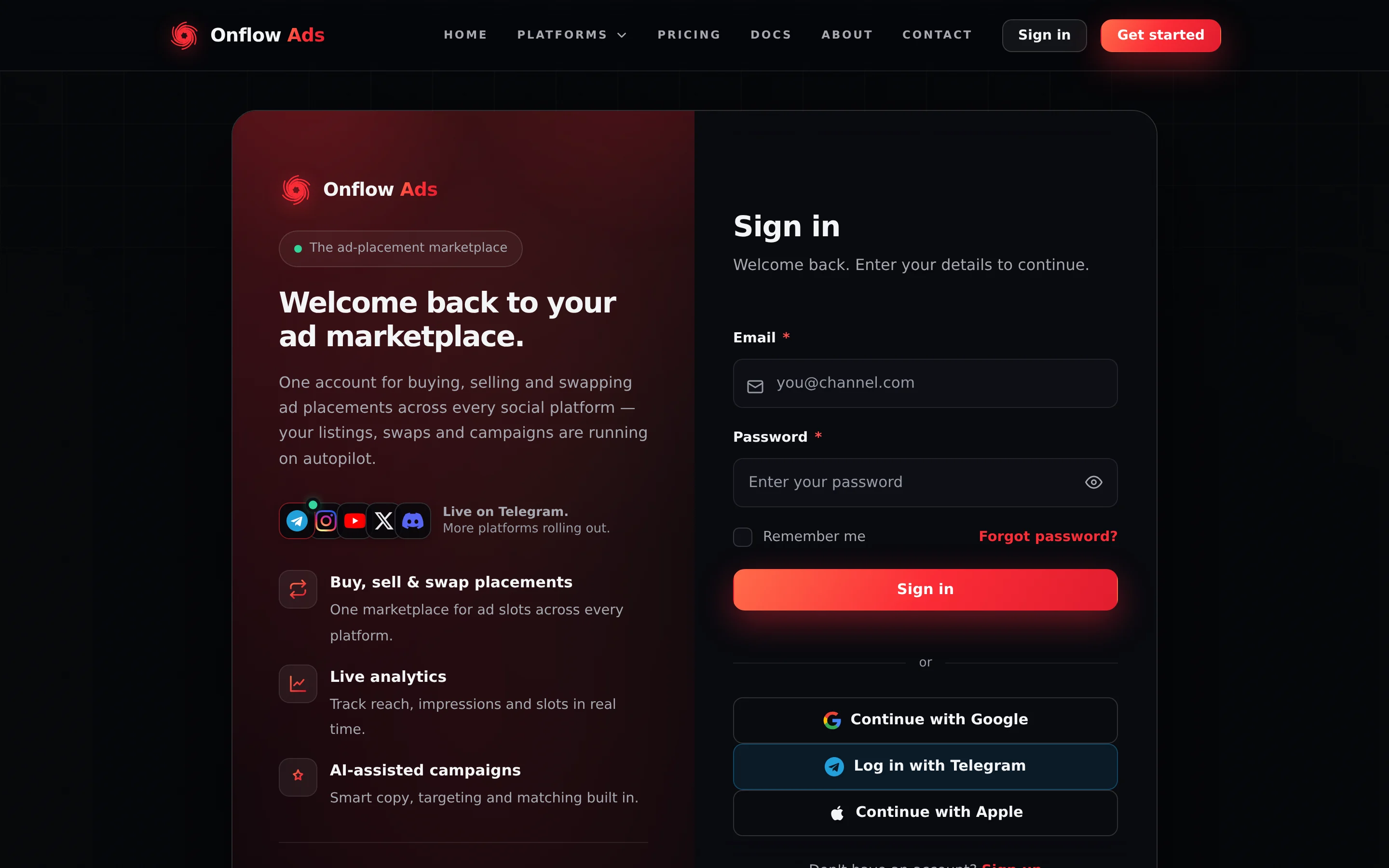
Signed out. The sign-in card. Log in with Telegram is the middle of the three buttons under the divider.
Before you start
- A Telegram account, signed in either in this browser or in the Telegram app on your phone.
- Nothing else. There is no code to type and no bot chat to open.
When to use it
| Situation | Use this flow? |
|---|---|
| You have never used Onflow Ads and want the quickest start | Yes — it creates your account as it signs you in |
| You already sign in with Telegram and just want back in | Yes |
| You have an email-and-password account and want Telegram alerts on it | No — use Connect Telegram on the Account page instead |
| You forgot your password and your Telegram is already linked | Yes — this signs you straight into that account |
Step by step
- Go to onflowads.com/signin. The same button also appears on onflowads.com/signup.
- Press Log in with Telegram. You are taken to Telegram to confirm — in the app on your phone, or on a Telegram page in your browser.
- Confirm the sign-in there.
- Telegram returns you to Onflow Ads, signed in, and you land on your dashboard.
There is no code to type and no bot chat to open. The button and Telegram's confirmation are the whole flow.
How it stays safe
This uses Telegram's standard OAuth 2.0 / OpenID Connect login.
When you press the button, the site generates a one-time request and stores it for your browser only. When you confirm, Telegram returns you with a short-lived authorization code, which the server exchanges for a signed identity token carrying your Telegram id, name and username. The site then verifies that token against Telegram's published public keys and checks four things: that the signature is genuine, that Telegram issued it, that it was issued for this site, and that it has not expired. It also checks the token answers the exact request your browser started, so a token captured from somebody else's sign-in cannot be replayed into yours.
Your Telegram password never leaves Telegram. The site only ever receives the name, username and profile details you agreed to share when you confirmed.
Limits and timing
| Rule | Value |
|---|---|
| How long you have to finish confirming in Telegram | About ten minutes from pressing the button. After that the attempt expires and you press it again |
| The identity token's own life | Short, and set by Telegram. The site checks it with a minute of leeway for clock drift |
| Reuse | None. Each attempt is single-use, and tied to the browser that started it |
| The session you get | An ordinary website session, about 48 hours long |
Requesting a great many sign-ins in a short burst may be briefly throttled. Waiting a minute clears it.
What happens after you sign in
- You get a normal website session — the same kind, and the same length, as signing in with a password or with Google. It works across the whole site.
- If your Telegram was already linked to an account, you are signed in to that account, with all its channels, wallet balance, orders and history.
- If this Telegram had never been used with Onflow Ads, a fresh account is created on the spot. It starts with a placeholder email address that has no inbox behind it.
This flow never opens the bot chat, so the bot is still not permitted to message you. Your account will show as linked and not reachable until you open the bot once and tap Start. Your account page says so in an amber line and re-labels its button Open the bot. See Connecting Your Telegram.
Because the placeholder address has no inbox, a Telegram-created account is asked to add and confirm a real email address before it can open a marketplace flow. It takes a code and about a minute — see Why You Must Connect.
Adding your own address also gets you a second way in that does not depend on Telegram, plus email receipts and password sign-in.
Signing in with Telegram only ever signs you in to the account your Telegram already points at, or creates one if there is none. It cannot absorb, change or merge an account you are already signed in to — the route is deliberately built so a public sign-in can never fold one account into another.
Folding a Telegram starter account into your main account is a different flow, run from the Account page: Connecting Your Telegram.
If something goes wrong
Every message below is the exact text the sign-in page shows, printed in the message box under the form.
| What you see | What it means | What to do |
|---|---|---|
| "Telegram sign-in isn’t available right now." | Telegram sign-in is switched off, or the site could not start the attempt | Use email and password. Try Telegram again later |
| "Telegram sign-in was cancelled." | You declined, or closed the Telegram confirmation | Press Log in with Telegram again |
| "Your Telegram sign-in session expired — please try again." | More than about ten minutes passed, or you finished in a different browser from the one that started | Press the button again, and finish in the same browser |
| "We couldn’t reach Telegram to finish signing in. Please try again." | The site could not talk to Telegram at that moment | Wait a moment and try again |
| "Telegram couldn’t complete the sign-in. Please try again in a moment." | Telegram refused to finish the sign-in — almost always a site configuration problem, not anything you did | Report it through the support desk and sign in with email and password meanwhile |
| "We couldn’t verify your Telegram sign-in. Please try again." | The identity token did not pass verification | Try once more. If it repeats, use email and password |
| "We couldn’t complete Telegram sign-in. Please try again." | Something failed after verification, such as creating the session | Wait a moment and try again |
| "Your account has been suspended." | The account this Telegram points at is banned | Contact support. No sign-in method will let you in while a ban stands |
| "Your account is suspended. Please try again later." | The account is under a suspension with an end date | Wait until it lapses, or contact support |
| No Log in with Telegram button at all | Telegram sign-in is not enabled on the site right now | Use email and password, or Google or Apple where shown |
| The Telegram confirmation never appears | Pop-ups are blocked, or you are not signed in to Telegram in this browser | Allow pop-ups for onflowads.com, make sure you are signed in to Telegram or have the app, then press the button again |
"Telegram couldn’t complete the sign-in" twice in a row means Telegram is refusing the site's own sign-in settings. You cannot fix that from your side — tell support, and sign in another way meanwhile.
Edge cases
A different browser or device. An attempt is tied to the browser that started it. Press the button in the browser you actually want the session in, and finish it there.
You closed the browser mid-flow. Nothing is left behind. Reopen the sign-in page and press Log in with Telegram again.
Your Telegram username changes. Nothing breaks. Your account is matched on your Telegram account itself, never on your username.
Two ways in at once. If you also set a password, both methods keep working independently. Neither disables the other.
Short FAQ
Does the bot ever ask for my password?
No. Never. You confirm inside Telegram; your Telegram password stays in Telegram, and the site only receives your name, username and profile details.
I signed in with Telegram but I want a password too.
Add a real email from onflowads.com/account; a password comes with it. Both methods then work.
Does signing in this way give the bot any new powers?
No. Signing in creates a website session for your browser and nothing more. The bot still cannot buy, create, change or refund anything — see Bot vs Website.
I have two accounts by mistake — one from Telegram, one from the website.
Connecting will not join them: if your Telegram already sits on another account — even a starter one — the bot answers Already connected elsewhere and nothing changes. Contact support from your main website account with both Onflow Ads IDs. The full explanation is on Connecting Your Telegram.