Connecting Your Telegram to Your Account
If you created your Onflow Ads account with an email and password (or with Google or Apple), your Telegram is not attached to it yet. Connecting the two takes about two taps and switches on everything the bot does for you.
This is a different flow from Signing In with Telegram. Here you are already signed in to a website account and you are attaching a Telegram identity to it.
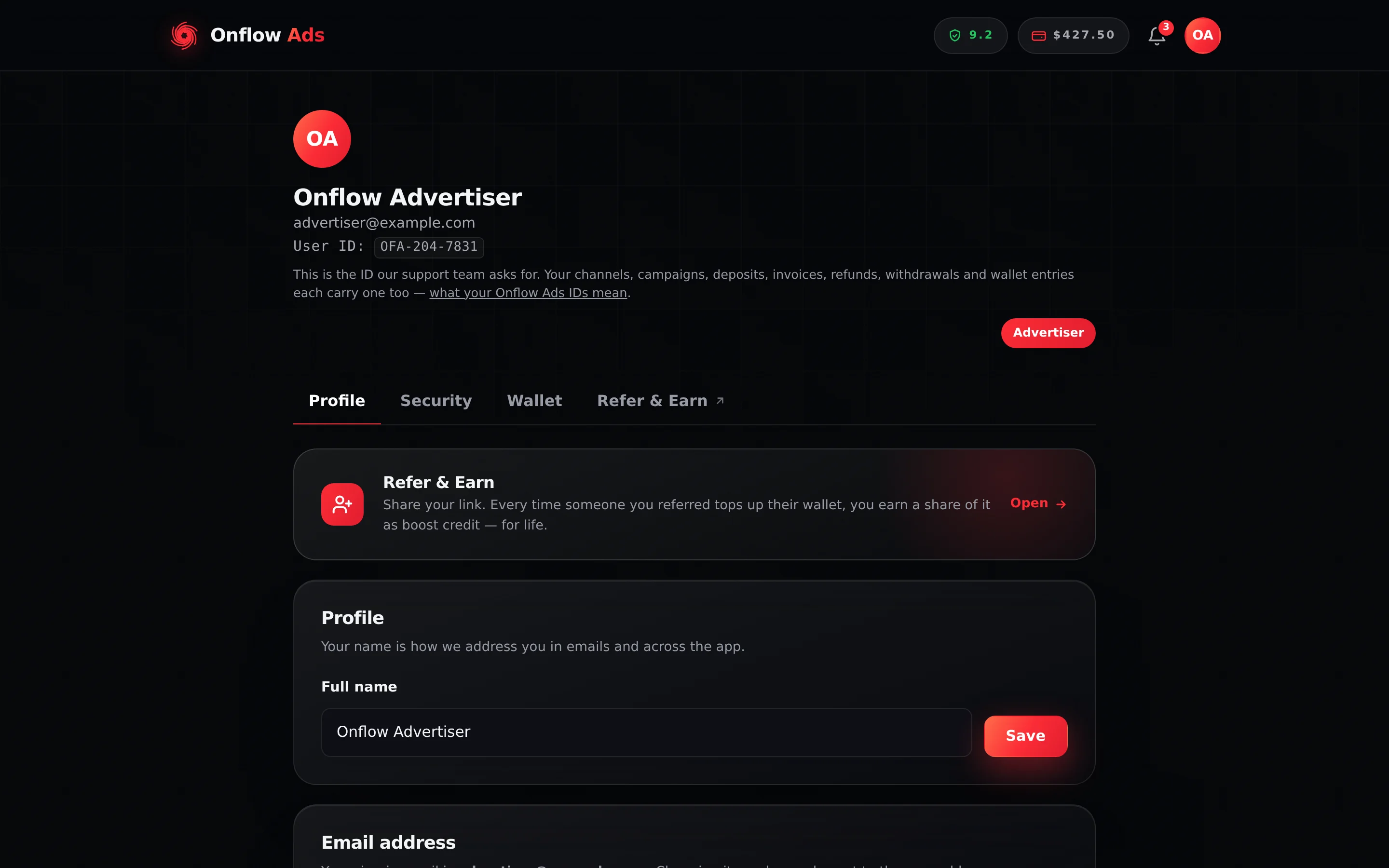
Plus plan · Advertiser. The account page, on the Profile tab. Scroll past Profile and Email address to reach the Telegram connection card.
Before you start
- You are signed in to the Onflow Ads account you want to attach Telegram to. The link is made against whichever account the browser is signed in to.
- You have Telegram on the same device, or on your phone.
- That Telegram account is not already attached to another Onflow Ads account. If it is, the bot refuses — see the outcomes table below.
What connecting unlocks
| Unlocked | What you get |
|---|---|
| Telegram direct messages | Order updates, payment alerts, campaign news and rewards arrive as instant DMs from the bot, alongside your emails |
| The Subscriber Exchange | The exchange runs inside Telegram, so your account must be paired before you can host or run ads there |
| Auto-posting for Paid Promotions | With the bot connected and an admin of your channel, accepted bookings can publish automatically |
| Perks that need your Telegram | Auto-verify and the cross-promotion boost-credit reward find your account through this link |
| One identity across both surfaces | What the bot does in Telegram and what you do in the browser land on one account, one wallet, one history |
One Onflow Ads account pairs with exactly one Telegram account, and one Telegram account with exactly one Onflow Ads account. This is enforced in the database, not by a check that could be worked around, so there is no way to attach two of either.
Step by step
- Sign in at onflowads.com and open onflowads.com/account.
- Scroll to the Telegram connection card. It explains: "Connect your Telegram so the bot can DM you order updates, payment alerts and rewards — and so premium auto-verify and the cross-promo boost-credit reward can find your account. One Telegram account links to one Onflow Ads account, permanently. You can mute what the bot sends you any time in notification settings."
- The card checks its own state and shows one of three things — see the next section. If it says "Not connected yet.", carry on.
- Press Connect Telegram. The message under the button changes to "Opening Telegram…", then to "In Telegram, tap Start, then “Yes, connect it” — then refresh this page.", and Telegram opens in a new tab or in the app. If your browser blocked the new tab, press Telegram didn’t open? Open it here under that message.
- In the chat with the Onflow Ads bot, tap Start. The bot answers Connect this Telegram?, names the account the link belongs to (its email, partly hidden), and waits. Tap Yes, connect it — nothing is linked until you do. If the account it names is not yours, someone sent you their link: ignore it.
- The bot replies Telegram connected — "Your Telegram is now linked to your Onflow Ads account. You will get order updates, payment alerts and rewards right here."
- Go back to the account page and refresh it. The card now reads "✓ Your Telegram is connected."
There is nothing to type, nothing to copy and no code to enter. Opening the link while signed in, then confirming in the chat, is the proof that you hold both the account and the Telegram identity — which a typed-in username could never be. The confirmation is there because a link is only a URL: somebody could forward you theirs, and without the question your Telegram would have been attached to their account. If the account named is not yours, simply ignore the message.
Where the link is a prerequisite, the page offers it in context instead of sending you to your settings. The Subscriber Exchange page opens with a step headed "First, connect your Telegram" — "Pair your account so the exchange can post for you." — with its own Connect Telegram button. It shows "In Telegram, tap Start, then “Yes, connect it”. This page will continue automatically…" and moves you on by itself once the bot confirms. If it gives up waiting it says "Still not connected. Reopen the link and tap Start."
The three states of the connection card
The card reports two separate facts, which is why it has three states rather than two.
| What the card shows | What is true | The button |
|---|---|---|
| "Not connected yet." | Onflow Ads does not know your Telegram account | Connect Telegram |
| An amber line: "Your Telegram is linked, but the bot can’t message you yet — open it once and tap Start to switch notifications on." | Your Telegram is known, but the bot is not permitted to message you | Open the bot |
| A green line: "✓ Your Telegram is connected." | Both: known, and permitted to message you | Hidden — you are done |
Telegram forbids a bot from opening a conversation with a person. So knowing your Telegram id and being allowed to message you are genuinely two different facts, and only you can grant the second one by pressing Start.
This is the normal state for anyone who arrived through Log in with Telegram, because that flow never opens the bot chat. Nothing is broken — press Open the bot, tap Start, and refresh.
Limits and rules
| Rule | Detail |
|---|---|
| Link lifetime | About 10 minutes from the moment you press Connect Telegram |
| Reuse | Single-use. Once redeemed, the same link cannot connect anything again |
| Pairing | Strictly one Onflow Ads account to one Telegram account, both ways |
| Repeat attempts | Up to 10 links per 10 minutes per account. Beyond that, wait a minute |
| Unlinking | Not something you can do yourself — see the warning below |
If you wait too long before tapping Start, the bot replies Link expired. Nothing is broken: press Connect Telegram again for a fresh link.
Onflow Ads has no self-service unlink — not on the website, and not in the bot. The pairing stays for the life of the account unless the Onflow Ads team detaches it, which is a support request made for a good reason: a lost Telegram account, say, or a pairing made on the wrong account. When the team unlinks a Telegram you are emailed, with the reason — see If the team changes your sign-in details.
The other thing that frees a Telegram account for re-use is closing the Onflow Ads account it is attached to — which you request through the support desk, not from a button in your settings. Closing releases the Telegram immediately, and queues the bot to erase its own records for it. It is irreversible, and it takes your wallet balance, campaign history and standing with it.
Connect the Telegram account you actually intend to keep.
Possible outcomes
| Bot reply | What it means | What to do |
|---|---|---|
| Telegram connected | Success — the pairing is live and the bot may message you | Nothing. Refresh the account page to see it confirmed |
| Link expired — "This Telegram connection link has expired or was already used. Open the website and tap Connect Telegram again to get a fresh one." | The link timed out after ten minutes, or had already been used | Press Connect Telegram again on the website and tap Start promptly |
| Already connected elsewhere — "This Telegram is already linked to a different Onflow Ads account. Sign in to that account, or contact support to move it." | This Telegram already belongs to a different Onflow Ads account — a real one, or a starter account created for it | Sign in to that account instead (Log in with Telegram opens it), or ask support to detach the Telegram from it so you can connect it here |
| Account already linked — "That Onflow Ads account is already connected to a different Telegram. Contact support if you need to change it." | The account you are signed in to already has a different Telegram on it | You are already connected on this account. There is no way to swap which Telegram it uses |
| Could not connect — "Something went wrong connecting your Telegram. Please try again from the website." | A backend problem, not anything you did | Try again from the website in a moment |
On the website side you may also see:
| Website message | Meaning | What to do |
|---|---|---|
| "Could not start linking. Please try again." | The one-time link could not be created right now | Retry shortly. If it persists, the site may not have Telegram linking configured |
| "Network error. Please try again." | Your connection dropped before the request finished | Check your connection and press the button again |
Connecting vs. signing in with Telegram
These are two genuinely different flows, and picking the wrong one is the single most common source of duplicate accounts.
| You want to… | Use | Result |
|---|---|---|
| Attach Telegram to the account you already use, while signed in to it | Connect Telegram on the Account page | Your existing account gains a Telegram identity. Nothing else changes |
| Sign in to the website with Telegram instead of a password | Log in with Telegram on the sign-in page | You are signed in to whichever account your Telegram points at — or a new one is created for it |
Already used the bot before you had a website account?
This happens to people who met Onflow Ads inside Telegram first: their Telegram identity was given a starter account of its own, and later they registered separately on the website with an email. Two accounts, one person.
Connect Telegram does not fold them together. A connect link is a URL anyone can forward, so opening one is never treated as consent to merge one account into another: when your Telegram already sits on a starter account, the bot answers Already connected elsewhere and nothing on either account changes.
To combine them, open the support desk from your main website account — the one with your email and password — and quote both Onflow Ads IDs. Do not create a third account to work around it.
Edge cases
You are signed in on two devices. The link is tied to the account, not the browser, so finishing it in the Telegram app on your phone connects the account you started it from. Refresh the account page anywhere to see the new state.
Your Telegram username changes. Nothing breaks. The pairing follows your Telegram account itself, never your username.
You blocked the bot after connecting. The pairing survives, but Telegram stops delivering. Unblock the bot and send /start once; DMs resume with no need to reconnect.
You want the link on a different Telegram account. There is no switch. Closing the account is the only thing that releases a Telegram id.
You muted everything. Muting is a delivery preference, not an unlink. Your account stays paired, and turning a category back on resumes delivery immediately. See Notifications from the Bot.
Short FAQ
Do I still get emails after connecting?
Yes. Telegram delivery is added alongside email, not instead of it, and you control both per category.
Does connecting change my sign-in method?
No. You keep signing in exactly as you did. Connecting only adds a delivery and identity channel.
Can I connect a Telegram account that belongs to my team, not to me?
The pairing is one to one, so a shared Telegram account can back only one Onflow Ads account. If you run several channels under one operator, keep one Onflow Ads account and manage the channels inside it rather than splitting across accounts.
How do I check whether I am connected?
Open onflowads.com/account and look at the Telegram connection card. It says one of the three things listed above — and the amber middle state is the one to watch for, because it looks connected but delivers nothing.