Bot vs Website: Who Does What
One rule settles almost every "where do I do this?" question:
The website decides. The bot carries it out, and reports back what it saw.
Nothing is bought, sold, created, managed or supported inside the bot. It holds no account of its own, takes and returns no money, and runs no support conversations. Every decision that costs you money or changes what you have bought is made on the website.
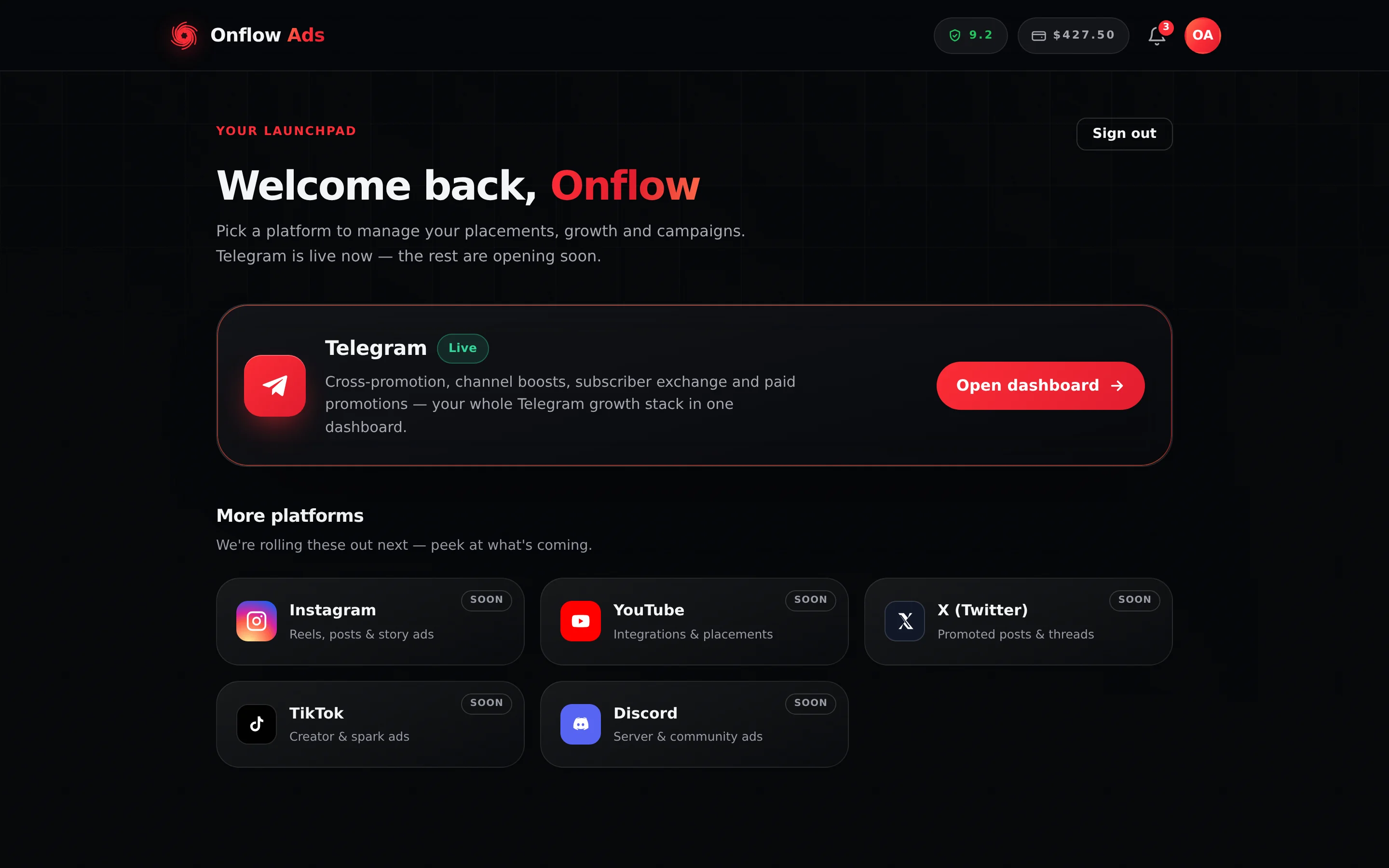
Plus plan · Advertiser. Where the bot's Open Onflow Ads button lands. Every route out of the chat ends on a page like this one.
The two halves
| The website | The bot | |
|---|---|---|
| What it is | onflowads.com — the whole product | Onflow Ads reaching you, and acting for you, inside Telegram |
| What it owns | Every decision, setting and record: your account, channels, campaigns, listings, wallet, orders, standing and support tickets | Nothing. Everything it does is recorded against the account the website holds |
| How you use it | You browse pages and press buttons | You mostly do not. It messages you, and works in the background |
| What it can decide | Anything | Nothing that costs money or changes what you bought |
What the bot does — its three jobs
1. It notifies you
Order updates, payment alerts, campaign news, booking requests and rewards arrive as Telegram direct messages as they happen. Every one carries a button to the page it is about, so a DM is never a dead end. See Notifications from the Bot.
2. It carries out what the website already decided
| Job | What that looks like |
|---|---|
| Publishes and removes posts | Once you have added the bot as an administrator to your channel, it publishes the agreed cross-promotion and exchange posts at go-live, leaves them up for the agreed window, then removes them |
| Publishes the links the website planned | Before a cross-promotion post or an exchange placement goes out it asks the website what each link becomes, and publishes that. It also hears every join through a campaign invite link and records it |
| Pairs your identity | It redeems the one-time Connect Telegram link from your account page, and it is the only thing that can record you as reachable |
| Carries exchange placements | It puts an approved Subscriber Exchange ad into the channel hosting it, counts the taps, takes it down after its window, and brings the reviewer's approval or decline back to the member who submitted it |
None of these are choices the bot makes. Each one is an instruction the website already issued.
3. It checks what actually happened
The bot is the only part of Onflow Ads that can see inside a Telegram channel, so it is what turns an agreement into something verifiable: it confirms a channel is real and that you administer it, measures its reach, watches that an agreed post stays up for its full term, and hears every join that arrives through a campaign invite link. It is the platform's tracking lead — and it only ever records. A violation it observes is written, as a fact, into a queue the website owns; the website prices it from its own published table and moves the one reliability score, usually within a minute. Where the party at fault had declared cross-promotion insurance cover, the bot records the claim and the website settles it from that declared cover. The bot's message to you says what was recorded and that it is applied on onflowads.com — never a new score, because it does not know one.
One more check runs beside those, and it is not the bot: after a paid ad's window at the top has closed, the channel's public history is read once to see whether anything else was published inside it. That reading moves the same reliability score. It is a good illustration of the tip further down this page — "the bot" is a name for several things, only some of which are the bot.
This is covered in full on What the Bot Checks.
One account, two surfaces — what is actually shared
People assume there must be a sync between the two halves, and that it might drift. There is no sync, because there is nothing to sync.
| Thing | Shared? | Detail |
|---|---|---|
| Your account record | Yes — one copy | Both halves read and write the same row. That means one wallet balance, one boost credit balance, one set of channels, one order history, one reliability score, one plan, one Onflow Ads ID and one support thread. Not two copies kept in agreement — one record |
| Platform-wide rules | Yes | Rules an administrator can change — the marketplace entry gates, the withdrawal fee ladder, maintenance notices — are written once on the website and read by the bot, which picks them up within about a minute. No redeploy, and no way for the two to quote different numbers |
| The Telegram identity | Yes | Channel verification, ad delivery and your DMs all come from the same bot account, so a channel that has added the bot is set up for all of it at once |
| Short-term memory | No | Each half keeps its own scratch memory — sessions, rate counters, temporary locks — and neither can see the other's. Every fact that has to cross between them travels through the shared account record instead |
| The bot's calls into the website | Signed | Every call the bot makes — planning the links in a post, fetching a booking preview, relaying a reviewer's tap — carries a timestamp and a single-use nonce and is signed with a secret both sides hold. The website refuses anything stale, replayed or unsigned, and without the secret both sides stop rather than guess. See Security and rate limits |
It is the reason a setting saved on the website reaches Telegram in about a minute rather than instantly, and the reason a repeat-tap window counted on one side is not visible on the other. It is invisible in day-to-day use, but it is why the platform is built so that anything durable lives on your account rather than in a cache.
For you, the bot is one thing in Telegram, and thinking of it that way is fine. Behind it, some jobs — your DMs, channel verification, paid-promotion posting and its delivery monitor — actually run from the website using the same Telegram identity. That is why "the bot is down so X stopped" is rarely the right diagnosis, and why the honest answer to "is my campaign affected?" is always: look at your dashboard.
What the bot deliberately does not do
The bot has no menus, no wizards and no chat commands.
- It does not hold your account settings.
- It does not take payments, hold a balance, or issue a refund. There is no wallet inside the bot.
- It does not run support conversations.
- It does not let you build, edit or cancel a campaign in chat.
- It does not browse or sell anything from the marketplace.
- It does not run a Paid Promotions engine, an Auto-Boost money loop or a strike system of its own. It records the post it detected, the join it heard, the breach it observed — and the website decides what each one costs or earns.
Send it anything at all — a word, a sticker, /help — and it replies with one card:
- Onflow Ads — official assistant
- "This bot is the Telegram side of Onflow Ads: it publishes and verifies the campaigns you book, and brings your order updates, payment alerts and reports to this chat."
- "Your account, channels, campaigns, wallet and support all live on the website. Own a channel? Add this bot as its admin from the website and it handles the rest."
- Button: Open Onflow Ads
One place to manage everything means nothing can get out of sync. There is no "bot version" of your campaign that disagrees with the "website version", because there is only one version. It also means the bot cannot be talked into acting on a message that merely looks like an instruction.
The three things that do happen in the chat
Three things belong in the chat, because that is genuinely where they make sense:
- Partner Post Review. When your cross-promotion partner submits their post, the bot shows you the post itself and gives you two buttons — ✅ Approve this post and ❌ Ask for changes — because you are looking at the thing you are judging. The same decision is also available on the campaign page if you would rather make it there.
- Seeing a booked ad before you answer it. A Paid Promotions booking DM carries 📄 Get the post here, which sends you the placement itself — media, caption, links and buttons — into the chat, rendered by the same client that will render it to your subscribers. You are being asked to publish something in your own channel; finding out what should not require leaving Telegram.
- Subscriber Exchange ad delivery, on older placements. When a reader taps a button on an exchange placement published before links were planned by the website, the bot records the tap and answers with one line and one button onward. That is ad serving to a stranger, not an interface for you.
Note what the second one deliberately does not do: it does not accept or decline the booking. That decision moves money, takes a good-faith stake and writes to your reliability ledger, so it stays on the website — seeing is in the chat, deciding is not.
Everything else routes to a page.
The reviewers who approve Subscriber Exchange ads, Paid Promotions listings and new channels work from cards in Telegram too, and the same rule holds for them. A tap on any of those cards is relayed to the website in a signed call; the website verifies who tapped, decides, refunds a declined ad's charges exactly once, and notifies the member. A decline needs a reason the owner will read, so the bot first asks the reviewer for it in a private chat and relays it with the tap. If the relay is unavailable, the reviewer decides on the website's admin console — the bot never fills in.
Where a tap on an ad actually goes
One rule, on every engine, decided by the website before a post goes out: every link a reader can tap — a text link, an address or @handle typed into the text, every button — is published as its own short link, onflowads.com/rr/NNNN-NNNN, and where it sends the reader depends only on where the link points:
| The link points at | The reader's path | Counted by |
|---|---|---|
| The advertiser's own connected channel | The short link, then a campaign invite link into the channel | The website counts the tap; Telegram attributes the join, and the bot records it into the campaign |
| Any other Telegram address | The short link, then the address exactly as written — Telegram's in-app browser opens it straight back in Telegram | The website counts the tap |
| A website | The short link, then straight on with the campaign tags | The website counts the tap; the Onflow tag on the far page counts landings |
Anything left as written — an email address, a link that is already an onflowads.com short link, text in code formatting | Exactly as written | Nothing |
The bot asks the website what each link becomes before it publishes a cross-promotion post or an exchange placement, and it is the administrator Telegram tells about a join. It creates no link and decides nothing. Asking twice is safe: the website answers with the links it already made for that post rather than minting new ones, so a retry after a timeout never splits one post's results across two links.
Telegram tells the bot when somebody joins or leaves through a campaign invite link, and the bot records what it is told. Nobody can re-request that history afterwards, so a join that arrives while the bot is restarting is simply not in the total — read the figure as a floor. This is why joins are labelled unverified wherever they appear, and why nothing you are charged, refunded or guaranteed is ever computed from them: delivery is settled on views.
The full detail, including how repeat taps are handled on each, is on Ad Posts and Click Tracking.
Bans reach into Telegram
A ban or suspension is placed on the website, by an administrator, and nowhere else. The bot then enforces it inside Telegram.
While a ban stands, the bot ignores every update from that account before anything else runs: no button works, no deep link is counted, no campaign step advances. It tells the person why, best-effort, with a short message: "Your account has been suspended."
The bot reads your standing from the account record itself, on the update — not from a copy it made minutes ago. A ban placed on the website stops the next thing that person taps, not the next time some cache happens to expire.
The bot does not hold a second opinion about your standing, and there is no bot command that reinstates anything. A suspension is contested on the website — see Account standing and Appeals and fraud concerns.
If the check cannot be completed for any reason, the update is allowed through. The design would rather briefly serve a banned account than lock out every honest member over a database blip.
Connecting your Telegram asks you first
The website hands out a one-time link that connects your Telegram to your account. Tapping it does not connect anything by itself: the bot shows you which account the link belongs to, with the email partly masked, and connects only after you confirm.
That step exists because a connection link is just a URL, and a URL can be forwarded. Somebody could send you theirs — "tap this to see my channel" — and without the question, your Telegram would have been attached to their account. Confirming is you saying the account named is yours.
Two things follow from the same rule. A connection never merges two accounts: if your Telegram already belongs to another Onflow Ads account, the bot stops and tells you so rather than folding one into the other. And if you do need two accounts joined, that happens on the website, from inside the session that owns the account being merged, and never while it holds a balance.
When the two halves cannot talk
The bot and the website are separate programs. If the connection between them breaks — a mismatched setting after a deploy, a server clock that drifted, a network fault — the failure has to be visible, because everything else about it looks like a quiet day.
So the bot reports in every minute, and every few minutes it sends the website a signed test call whose only purpose is to prove the two still agree. The website's own status page shows how long ago the bot checked in, whether the signed calls are being accepted, and how far behind the queues of recorded facts have fallen. Nobody has to notice that results stopped arriving.
While the connection is down the bot does the safe thing rather than the convenient one: it publishes your post exactly as written (with plain links, so that run is not counted), and a reviewer's tap in Telegram is refused with a pointer to the website instead of being taken on trust. Nothing is invented, and nothing is decided by the half that does not decide.
You never get the same alert twice
Both halves can send a Telegram message, so each kind of event has exactly one sender of record. The website sends everything it decides — order and booking updates, payments, wallet movements, plan changes, ad and appeal outcomes, reliability entries. The bot sends only what it saw with its own eyes: your placement went live, it was taken down, a run finished, a fact was recorded. Neither sends the other's list, and a decided event is delivered once even if two processes notice it.
Closing an account reaches into Telegram too
When an Onflow Ads account is closed, the intent to erase its Telegram-side records is recorded in the same moment as the deletion — not asked for afterwards. There is no state in which the account is gone but the erasure was never requested.
The bot picks that up on its next sweep, about once a minute, and deletes its own records for that Telegram id.
| Rule | Detail |
|---|---|
| It is a queue, not a phone call | The bot is frequently restarting during a deploy. A request that lands a minute late is far better than one lost because the executor happened to be offline |
| Re-registering is protected | If that Telegram account has already signed up again before the sweep runs, the erasure is skipped rather than wiping the fresh account |
| It frees the Telegram account | Closing the account releases its Telegram immediately, so the same person can register and connect again straight away |
There is no unlink control anywhere on the website or in the bot. The pairing stays for the life of the account unless the Onflow Ads team detaches it — a support request, made for a good reason such as a lost Telegram account or a pairing made on the wrong account — and you are emailed, with the reason, when that happens. See If the team changes your sign-in details.
Closing an account is not self-service either: you request it through the support desk. It is irreversible, and it takes your wallet balance, campaign history and standing with it.
Where each task actually lives
| You want to… | Go to |
|---|---|
| Create or join a cross-promotion campaign | Website — Cross-Promotion |
| Watch a campaign that is running right now | Website — that campaign's page, opened from your Cross-Promotion list |
| Approve or send back a partner's post | Either — the buttons in the chat, or that campaign's page |
| Add or edit a channel | Website — My channels |
| See how one channel is doing — reach, cadence, activity and earnings | Website — that channel's own overview page, opened from My channels |
| Share your channel with a prospective advertiser | Website — the public link on that channel's overview page, offered only while its marketplace listing is live |
| Give the bot posting rights on a channel | Telegram, but set up from the website: you add the bot as an administrator when you enroll the channel |
| Top up, withdraw or check your balance | Website — Wallet |
| Buy or sell a sponsored post | Website — Paid Promotions |
| Accept or decline a booking | Website — bookings desk, reached from ✅ Review & respond in the DM |
| Host or run exchange ads | Website — Subscriber Exchange |
| Change what you are notified about | Website — Notifications, Settings tab |
| Appeal a reliability penalty | Website — your reliability page |
| Get help | Website — Support |
| Sign in without a password | Website — Log in with Telegram, which you confirm in Telegram |
| Read your alerts | The bot chat |
Rules and edge cases
The bot needs administrator rights on your channel, and nothing else. You add it when you enroll a channel from the website, so it can publish and remove the posts you agreed to and confirm they are still there. It does not read your subscribers' messages or their identities, and it posts nothing you did not agree to.
The bot never asks you for anything sensitive. It will never ask for a password, a payment detail or a code somebody else sent you, and it will never offer to sell you something or settle a complaint. Anyone in Telegram doing those things is not us.
If the chat goes quiet, nothing you own changes. Your campaigns, orders, balance and standing live on your account. A delivery hiccup in Telegram does not touch any of them — which is why you check your own dashboard rather than rely on a message arriving.
The bot has a flood guard. More than 20 updates in 10 seconds from one account, or a burst on a single button, answers "Slow down a little and try again in a moment." — a double-tap is forgiven, a loop is clamped. See Security and rate limits.
Short FAQ
Is the bot required?
For anything that has to happen inside Telegram — publishing the posts you agreed to, verifying a channel, taking a post down at the end, instant alerts — yes. For browsing, booking and paying, the website alone is enough. New accounts are asked to connect it once regardless; see Why You Must Connect.
Why does the bot ignore my messages?
It does not ignore them; it answers every one with the redirect card. There is nothing else for it to say, because there is no chat interface to drive.
Can I do everything from inside Telegram?
No, and that is the point. You can be reached, signed in, and have your channels checked from Telegram. Buying, creating, changing and asking for help happen on the website — the buttons in the chat take you there.
Do the two halves ever disagree about my balance or my plan?
They cannot. There is one record, and both halves read it live. What you see in a DM and what you see on the dashboard are the same number, read at two moments.
The checks flagged me. Can I argue with the bot?
No — and there is nothing to argue with. The bot recorded a fact; the website priced it and wrote the entry on the same one ledger everything else lands on, so you contest it the same way wherever it came from — the See why & appeal button on the message opens your ledger. See Appeals and fraud concerns.
Which half do I contact for help?
Neither, directly. Open the support desk at onflowads.com/telegram/dashboard/support. The bot cannot answer a question you send it.