What the assistant can do for you
Since September 2026 the chat is not only an answer machine. Signed in, Onflow AI can look things up in your own account and carry out routine tasks for you — cancel a boost order, accept a booking on your channel, approve an exchange post, answer a cross-promotion partner request — in plain words, from inside the conversation.
Every task follows one shape, and the shape is the safety:
- You ask in your own words. "Cancel my boost order OFB-204-1188." No commands to learn; type
/in the composer if you want the list anyway. - The assistant finds what you could mean. It reads your own records — only yours — and picks the match. If two things fit, it lists them and asks which.
- It proposes, and waits. A card says exactly what is about to happen, with an expiry of ten minutes. Nothing has changed yet.
- You confirm. A high-impact task (anything that cancels, pays out, appeals or leaves) needs the word CONFIRM typed by you; a small one needs a yes. Anything else sets the proposal aside.
- It acts through the same door the page uses, as you, and tells you the result in one line. Every step — proposed, confirmed, executed, failed or refused — is written to your ticket, where the support team can see it.
Reads are for every signed-in member, on every plan, Free included. Actions — and the account flows: starting or stopping a deletion, the data report, a refund confirmation — are for Plus and above; the unlocking rung is named to you when you are below it. A signed-out visitor is asked to sign in: the chat answers from the guide and the policies only. The support team can switch the whole layer off, or any single power, at any time — a switched-off power simply stops being offered.
It never does these
- Move money. No top-ups, withdrawals, transfers, purchases, plan changes or refunds lodged from the chat. Those stay on their pages, behind their own confirmations.
- Touch security. No password, two-factor, email or sign-in changes.
- Act on anyone else's account, or on a reference that is not yours — a stranger's reference reads exactly like a made-up one.
- Act without you. Nothing runs on a hunch, a partial match or a message you did not send in this conversation.
Looking things up (answered inline)
| Ask about | What comes back |
|---|---|
| Your account, plan and security | Plan and expiry, verification, two-factor, Telegram link, a security check with what to fix, whether a deletion is scheduled |
| Your IDs | Your account ID, referral code and the references of your channels, listings, orders, campaigns, tickets and payments — read from your account, never from this guide. IDs are private to the account that owns them: signed out, the assistant asks you to sign in first, and it never quotes an example from a page as yours |
| Any order, by its reference | Track an order asks for the reference — OFB boost, OFO marketplace order or booking, OFC cross-promotion, OFSE exchange campaign, OFW withdrawal, OFD top-up — and answers with where that one stands. A message that already carries a reference skips the question |
| What's running | One question — what's active for me? — answers across boost, paid promotions, cross-promotions, the exchange and Auto-Boost: each thing's reference, its state and what happens next, and which engines have nothing running. Then ask about any one of them by its reference |
| Wallet | Balance and what is withdrawable, recent transactions, withdrawals and this plan's fee and cap, top-ups, refund requests, your fees — and what a top-up would cost and earn: your deposit fee, both deposit-bonus ladders and, if you name an amount, exactly what you would pay and what the balance would go up by |
| Boost | Recent orders with delivery progress, boost credit, your Auto-Boost rules |
| Paid Promotions | Your orders (advertiser) or bookings (channel owner), your listings and the figures buyers see, your earnings and payouts, and your marketplace fee: the rate on your side of a booking, how far you are from the veteran rate ("37 of 100"), and the auction fee |
| Cross Promotion | Your campaigns and their status, partner requests you received and sent, the results of a run — clicks, joins and the anti-cheat verdict — and your recurring series |
| Subscriber Exchange | Your enrolment, ads, credits and eligibility, and the posts waiting for your review |
| Channels, notifications, referrals, tickets | Connected channels, unread notifications, your referral code and earnings (with any sign-ups a rule refused and referrals on hold), your support tickets |
| This page | What the screen you opened the chat on is for |
Each answer arrives as a card under the reply — balances as rows, orders as a list with a status chip and the time in your own zone — plus a button to the page it came from.
Carrying out tasks (proposed, then confirmed)
Boost
- Cancel a boost order — a full refund before it starts; a stop request to the supplier once it has.
- Pause, resume or cancel Auto-Boost.
- Refill a boost order under its refill guarantee.
- Report a boost order to the team, in your words.
Paid Promotions
- Accept or decline a booking on your channel (owner). Declining refunds the advertiser in full.
- Cancel a booking you host that has not been published (owner), or cancel an order you placed that has not been published (advertiser).
- Turn auto-accept on or off for a listing, optionally from a minimum order value.
- Pause and relist your channel on the catalog; refresh its figures from Telegram.
- Confirm a delivered promotion so the channel owner is paid (advertiser).
- Raise a concern about a posted promotion, in your words (advertiser).
Cross Promotion
- Accept or decline a partner request another channel sent you; withdraw one you sent.
- Accept or decline a new go-live time your partner proposed; confirm a campaign your partner joined.
- List or unlist an unclaimed code on the open-codes board.
- Pause, resume, end, accept or decline a recurring series.
- Rate a partner after a finished campaign, 1–5 stars.
- Cancel a campaign that is not live yet.
Subscriber Exchange
- Approve or reject an ad waiting for your review before it goes on your channel.
- Appeal a declined ad, with your reason.
- Set the content level a channel of yours accepts (0–5).
- Cancel an ad that has not run; leave the pool with a channel.
Account
- Appeal a reliability penalty, with your reason.
- Mark every notification read.
- Email yourself this conversation on the spot.
- Link your Telegram — you get the button.
What a task looks like in the chat
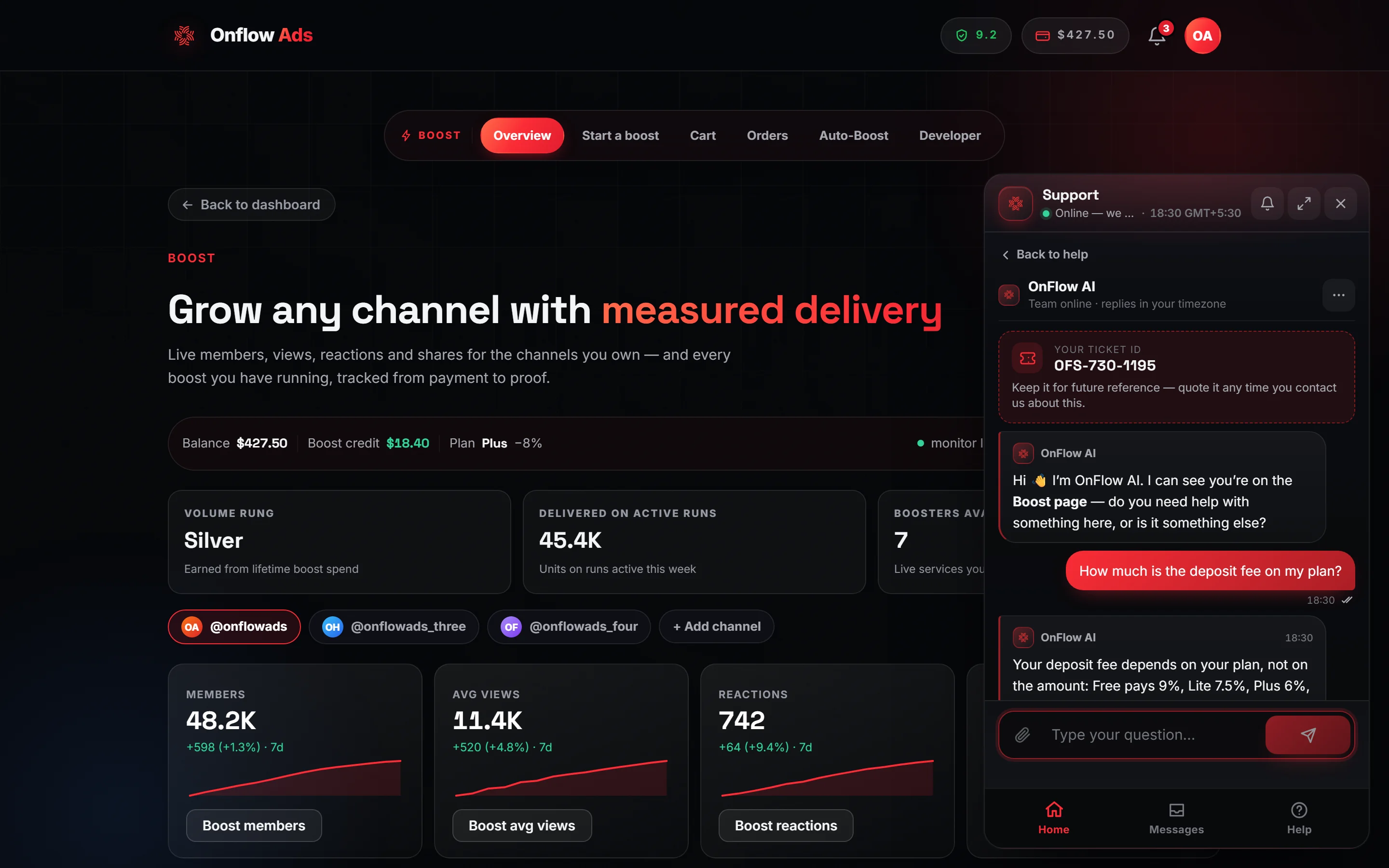
Plus plan · Advertiser — a fresh chat: the ticket ID first, the page-aware welcome, then your first question. A task follows the same shape, with a proposal card and the two confirmation chips under the reply.
You: cancel my boost order OFB-204-1188
Onflow AI: Here is what I found: OFB-204-1188 is scheduled and has not started. To cancel it and return $18.00 to your wallet, type CONFIRM. Anything else sets it aside.
You: CONFIRM
Onflow AI: Done — OFB-204-1188 is cancelled and $18.00 is back in your wallet.
Two chips under the proposal — Type CONFIRM and No, leave it — send the word for you. A proposal you leave alone expires by itself after ten minutes.
When a task needs something only you know — the stars for a rating, the level for a channel, the reason for an appeal or a concern — the assistant asks for it in the same message rather than guessing: "Tell me the reason in the same message — for example: appeal my exchange ad because the post follows the rules."
When it says no
| What you see | Why |
|---|---|
| "…only from a signed-in session…" | Actions need a session; sign in and ask again. |
| "…unlocks on the Plus plan…" (or the rung named) | Your plan is below the unlocking rung. |
| "Nothing of yours can be cancelled right now…" | There was nothing in the right state — a finished order, a published booking. |
| "Which one did you mean?" with a list | Two or more things matched; name one by its reference. |
| "That proposal has expired…" | More than ten minutes passed, or you started another task. |
| "…couldn't be done: …" | The page itself refused, and the reason is the page's own — the same one you would see there. |
| The task is not offered at all | The team has switched that power off. |
Privacy
A task runs through the same request the page would make, as you, and only after your confirmation. The proposal and the result are stored on your support ticket as an action log (what was proposed, whether it ran, and the one-line result), which the team can read; anything you typed that looked like a card number, a password or a key is masked before it is stored. Nothing about a task is used to train a model.
Related
- Chatting with Onflow AI — the conversation, the allowance and the handover to a person.
- Answers about your own account — the read-only account lens the actions build on.
- The help widget — every part of the panel.