Applying for Ultimate
Ultimate is the only tier on the ladder that cannot be bought. It is limited to 50 seats globally, and each seat is granted by application. This page is the application flow, end to end. For the benefits themselves, see the Ultimate tier page.
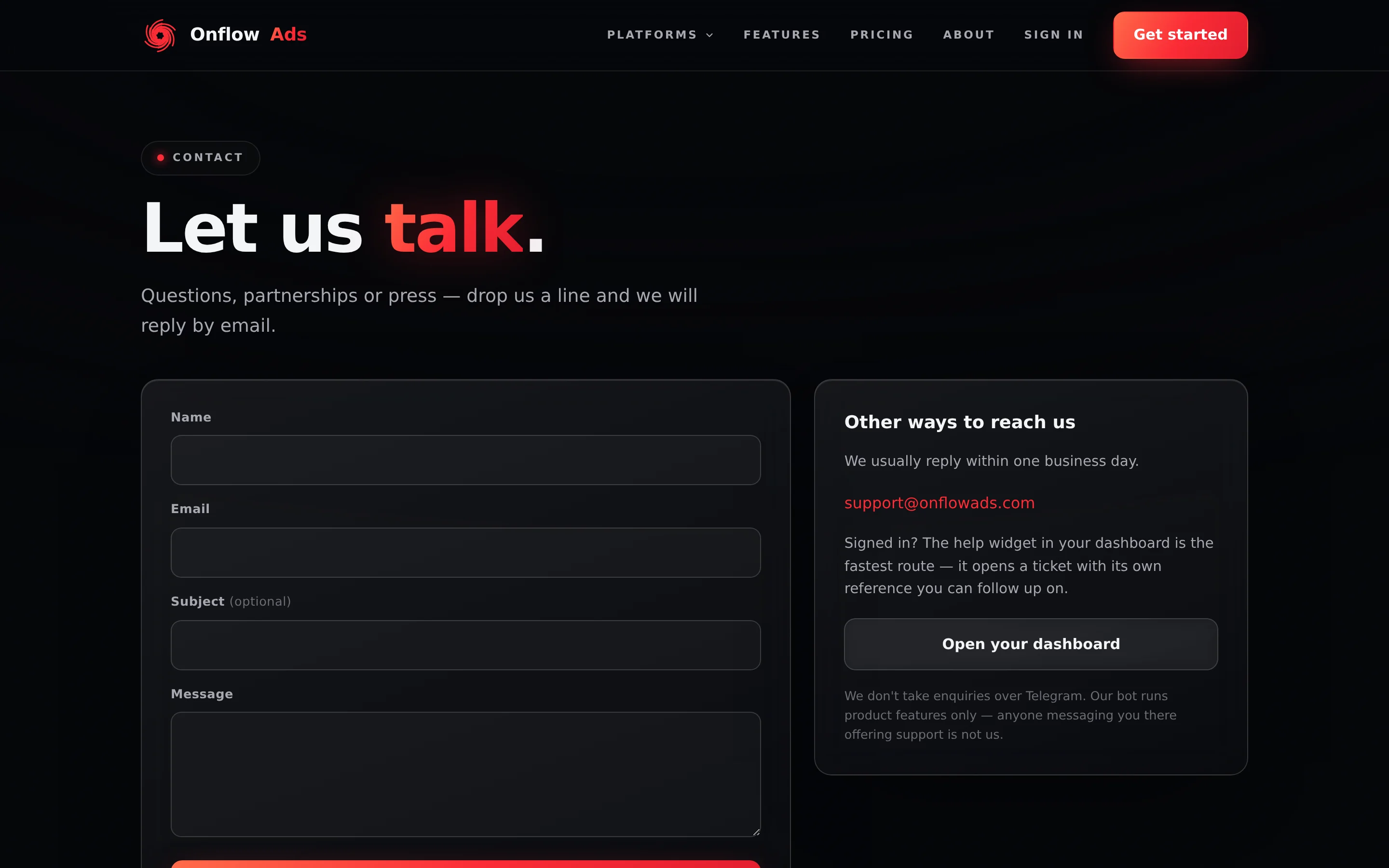
Signed out. The contact page is where both Apply buttons land. There is no separate Ultimate application form — this is it.
Why it works this way
Ultimate is described on the platform as "Not a plan — a partnership". It carries the ceiling on nearly every limit, a dedicated account manager and the Ultimate ⭐ badge. Because a seat includes a named human on the Onflow Ads side, seats are reviewed rather than sold, and there is a fixed number of them.
Before you apply
- Have an Onflow Ads account. Applications are about your operation on the platform, so an existing account and a track record make the conversation concrete.
- You need no wallet balance. Nothing is charged at application time. The published price — $1,200 monthly or $12,240 yearly — only becomes relevant once an application is accepted.
- Know what Master already gives you. Master is the ceiling you can buy today, and it matches Ultimate on AI allowances, inline buttons, the deposit fee, the dispute target and channel bundles. If those are your binding constraints, a seat will not move them.
How to apply, step by step
-
Open the pricing page.
-
Find the Ultimate card. It is the sixth card in the same grid as the others — not a banner below them. It wears a corner badge reading "Application only · 50 seats" and sits under the line "Not a plan — a partnership."
-
Press Apply. That is the Ultimate card's button, and it goes straight to the contact page. The same destination is reached from Apply for Ultimate in the closing block at the bottom of the pricing page.
-
Send your application through the contact form. Describe your operation: the channels you run or manage, your advertising volume, which ceiling you are hitting today, and how to reach you.
-
Wait for the team to reply. Applications are reviewed by people. There is no instant answer, no automatic status page and no published turnaround; the reply comes through the contact details you provide.
-
If accepted, the seat is arranged with you. Payment happens only after acceptance, and your account is moved to Ultimate from the Onflow Ads side. There is no checkout to complete.
What the Ultimate card actually promises
These are the card's own bullet points, as published:
- 250 exchange channels · custom matcher weights · delivery floor
- Boost: 15% off · $100k max orders · 25 API keys · 90-day guarantee
- Unlimited listings & placements
- Unlimited Proof Certificates
- First-look inventory — 48h early access
- Payout to wallet within 24 hours
- Unlimited cross-promos · Blitz to 10 channels
- 5 AI texts a day (20 a month) + 10 AI images a month
- 5% withdrawal · 4% deposit fee (the floor)
- Dedicated account manager · Ultimate ⭐ badge
Every one of those is a shipped entitlement, and each is broken down area by area on the Ultimate tier page.
What happens after you send it
| Stage | What you will see |
|---|---|
| Application sent | The contact page's own confirmation. Your tier does not change and nothing is charged |
| Under review | No change on your account. Everything you already hold keeps working exactly as before |
| Accepted | The team contacts you to arrange the seat. Once granted, the pricing page's status pill shows Ultimate with the ⭐ badge, and every entitlement is live on the website and in the Telegram bot at once |
| Not accepted this time | Nothing changes. You keep any tier you hold, and can buy or upgrade normally |
Rules
- Ultimate cannot be purchased on any surface. It is not on the purchasable list, and any attempt is refused with "Ultimate is application only — 50 seats. Apply through the contact page and we'll be in touch."
- There is no self-serve path. No promo code, no invite link on the pricing page, and no way to reach it by upgrading — every seat is reviewed.
- Seats are limited to 50 globally, which is why applications can be declined even when the applicant is a good fit.
- Applying costs nothing and does not change your current tier.
- Once granted, Ultimate behaves like any other membership. It is a term on your account, it does not auto-renew, and if it ends your account returns to Free without losing anything. If it is granted with no expiry date at all, that is a lifetime membership — see How billing works.
The reliability floors that decide whether an account may start a marketplace deal or a cross-promotion are not part of the ladder, and Ultimate does not lift them. See Marketplace entry gates.
If something goes wrong
| What you see | What it means | What to do |
|---|---|---|
| The Apply button did nothing | Both Apply buttons are ordinary links to the contact page | Go to onflowads.com/contact directly |
| You expected a checkout on the Ultimate card | There is not one. The card shows its published price for reference and its button applies | Send an application instead |
| A panel titled Ultimate is application only appeared | A purchase request for Ultimate reached the server and was refused | Press Apply in the same panel; nothing was charged |
| You already hold Master and the review is taking a while | Nothing about your account changes during a review | Renew Master as normal if it comes up for renewal — it is unaffected |
| You want to improve your chances | The tier exists for operators at the platform's ceiling | Apply from the account you actually operate on, and describe real volume: number of channels, monthly spend or revenue, and the specific limit you are hitting |
Frequently asked
How long does a review take?
There is no published turnaround. The team replies through the contact details you give.
Can I pay upfront to skip the queue?
No. Payment only happens once an application is accepted.
Is the price negotiable?
The published price is $1,200 per month or $12,240 per year. Anything beyond that is part of the conversation with the team, not something set on a page.
If I am granted Ultimate, do I lose my current tier's remaining days?
Ultimate is arranged with you directly rather than through the self-serve upgrade checkout, so discuss the timing with the team. The rule that an upgrade forfeits remaining days applies to purchases you make yourself on the pricing page.
What if I am not there yet?
Master covers the agency use case, and everything you build on any tier carries over the day a seat is granted — it is the same account and the same wallet.
Related
- Ultimate — what a seat actually includes, area by area.
- Master — the highest rung you can buy today.
- Plans FAQ and troubleshooting — quick answers and every plan message explained.
- How billing works — terms, grants and lifetime memberships.