Analytics and Reporting
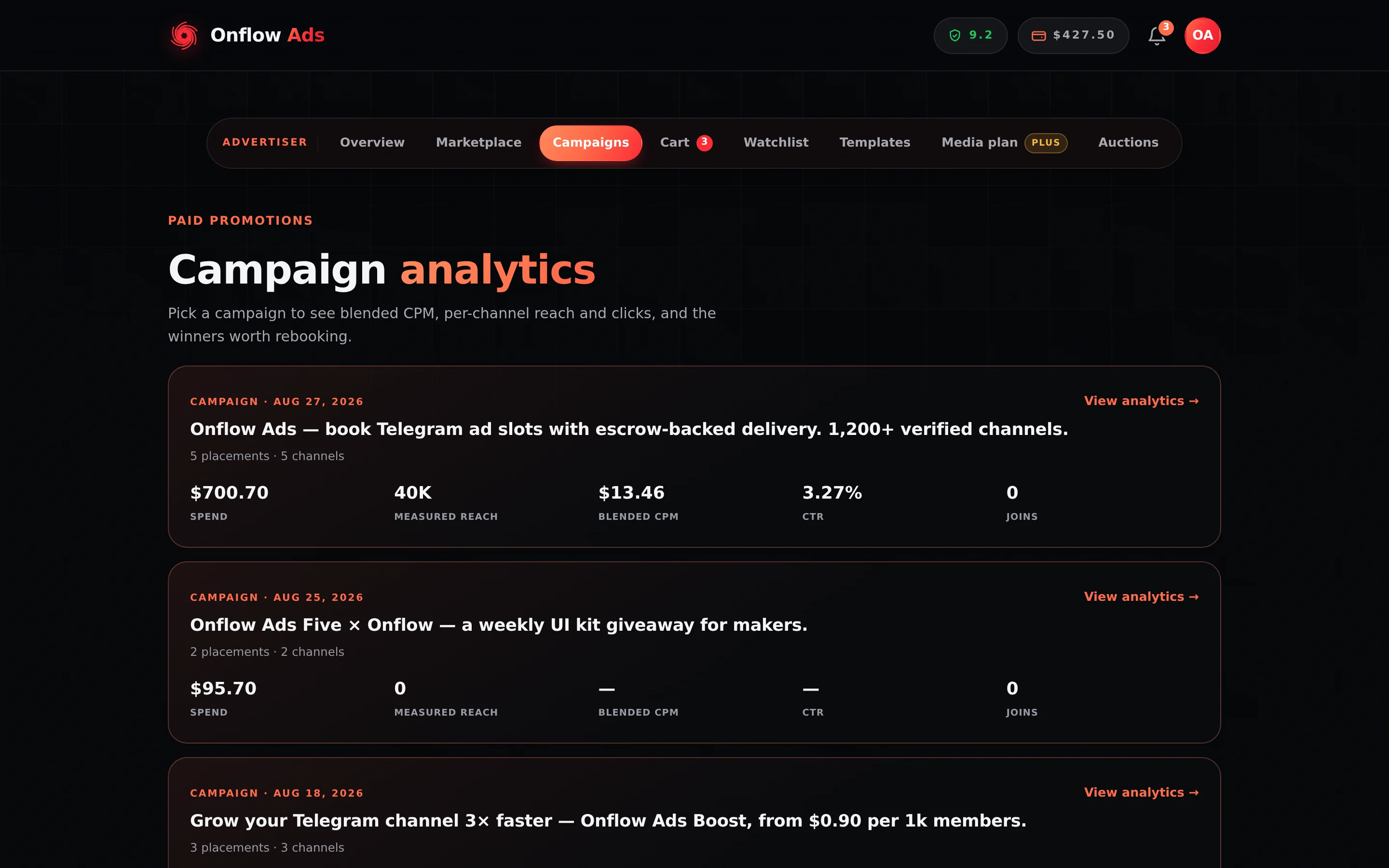
This is where you answer "did that campaign work?" — and decide what to book next. Campaign analytics live at https://onflowads.com/telegram/dashboard/paid-promotion/analytics.
Every number here is platform-measured: views from the delivered-post monitor's samples, taps counted at the onflowads.com/rr/… short link every link in your ad is published as, joins from Telegram's own attribution of your campaign invite links, landings from the Onflow tag on your page. Nothing on this page is self-reported by a channel owner.
Plus plan · Advertiser. One campaign's rollup. On this plan the CSV export is included and the PDF is locked — the chip row above the tiles says which is which, and offers to unlock both for this one campaign.
Before you start
- Advertiser role required. The page redirects a channel-owner account to the Paid Promotions hub.
- The rollup itself is open to every plan, including Free. What a plan buys is the exports, not the numbers.
Step by step
- Open Analytics, or press a campaign card's link from the Campaigns page.
- The list shows a card per campaign with its Spend, Measured reach, Blended CPM and CTR. Press "View analytics →" on one.
- Read the KPI tiles, then the per-channel breakdown underneath.
- If a Rebook the winners panel appears, press "Rebook N →" to drop those channels straight into your cart.
- Use the export chips at the top of the detail view, or "← All campaigns" to go back.
What the numbers mean
| Tile | What it is |
|---|---|
| Spend | What this campaign cost you |
| Measured reach — of N promised | Total monitor-measured views, against the promised total where owners promised one |
| Blended CPM — measured lines only | Spend on the measured lines divided by their measured views, per 1,000 |
| Blended CTR — unique taps | Unique taps on the campaign's links against measured views — every link is counted, a Telegram one included |
| Delivered — vs promised reach | Measured reach as a share of what was promised — measured views ÷ promised views × 100, to one decimal and capped at 100%. A placement can beat its guarantee; when it does this reads 100% and the raw pair beside it (Views against Promised) says by how much. A placement we could not measure has no percentage at all, not a 0% |
Below the tiles:
- Measured views per channel — a bar chart. Hovering a bar shows that channel's own CPM and CTR.
- Delivered vs promised — the same percentage as a meter.
- Signals — Forwards, Reactions, Unique taps, Joins via invite links (with how many have since left), Gross booked, and Refunded.
- A per-channel card for every placement with Views, CPM, CTR and Delivered %, plus badges: Measuring… while the monitor is still watching, ⚑ Flagged if the monitor flagged it, and Rebookable when the listing is still available to book.
The page closes with the rule it runs on: "Blended CPM & CTR use measured lines only — a blank metric means we haven't measured it yet, never that it delivered nothing."
If an unmeasured line's spend went into the numerator while its views were absent from the denominator, the campaign's CPM would look worse than it was. So the numerator is the spend of the measured lines only, and the tile is labelled with how many of the campaign's orders that is.
Rebook the winners
When some channels beat the campaign's blended CPM, a green panel counts them and offers "Rebook N →". One press adds them to your cart in the formats you originally booked.
A line qualifies as a winner only when all of these hold:
- it was actually measured — a line the monitor could not measure is never recommended as a proven performer;
- it reached delivered or completed;
- its listing is still active, so you can genuinely book it again.
Qualifying lines are ranked lowest CPM first, then most unique taps, and the top ten are offered.
Rebook N → fills your cart. Nothing is charged until you go to the cart and pay, so you can add, trim or price-check the basket first — and the ordinary discounts, the promo field and the bundle offer all still apply.
Exports
Export access is graded by your plan. The chips on the campaign page say exactly which are available.
| Export | What you get | Included from |
|---|---|---|
| Export CSV | The per-placement data as a spreadsheet | Plus |
| PDF report | A shareable branded campaign report | Elite |
Both are chips at the top of the campaign page. A chip your plan does not cover is drawn as Export CSV · locked or PDF report · locked rather than hidden, so you can see what the campaign would give you.
Unlocking one campaign's exports
If your plan does not include an export, you do not have to upgrade. An "Unlock exports $5" button buys both — CSV and the PDF report — for that one campaign, permanently. It is charged once from your wallet and the chips light up in place.
| Situation | What happens |
|---|---|
| Your plan already includes everything | "Your plan already includes every export for this campaign." — and you are charged nothing |
| You already unlocked this campaign | "You've already unlocked this campaign's exports." — and you are charged nothing |
| Your wallet cannot cover it | The whole purchase rolls back; nothing is charged and nothing is unlocked |
The price is currently $5 and the button always names it.
Where else these numbers appear
- The Campaigns page shows the same campaign cards inline with your orders, with the measured-views chart, the Links & results block and the same export chips.
- The Links & results block's Click analytics button — or Details on one link — opens the click analytics panel: the same taps by day and hour, by country, device, the app they were opened in and more, over 7, 30 or 90 days.
- Each order's expanded view shows its own delivery meter — measured views against promised — and, after delivery, its proof archive.
- Channel pages show the supply side of the same measurements: a channel's Performance passport and On-time record are built from placements the monitor measured, including yours.
If something goes wrong
| What you see | What it means | What to do |
|---|---|---|
| A blank Blended CPM or CTR | Nothing in the campaign is measured yet | Wait for the run. The tile's label says how many of M orders are measured |
| Measuring… on a channel card | The monitor is still sampling that placement | Nothing to do. Views are sampled across the promised duration |
| ⚑ Flagged on a channel card | The monitor flagged that placement — deleted early, altered, or unpinned early on an order that bought a pin | Open the order's proof archive. On an insured plan a confirmed failure refunds automatically; otherwise dispute it |
| No flag, but the owner posted over your ad | An exclusivity breach is a different verdict with a different penalty, and it never sets ⚑ Flagged | Nothing appears on this page for it. The notification you were sent is the only record, and there is no refund |
| No Rebook the winners panel | No line both beat the blended CPM and is still bookable | Nothing is wrong. An unmeasured line is deliberately never recommended |
| Export CSV · locked | Your plan is below Plus | Upgrade, or press Unlock exports $5 for this campaign |
| PDF report · locked | Your plan is below Elite | Same two options |
| The Unlock button is not offered | Your plan already includes every export for this campaign | Nothing to buy. Both chips are live links |
Related
- Orders and campaigns — the same campaign cards, alongside the placements themselves.
- Tracked links and delivery proof — where every join and landing on this page comes from.
- Cart and checkout — where Rebook N → delivers your basket.
- What each plan includes — the export level of every plan, side by side.