Verifying Your Email
When you sign up with an email address, Onflow Ads asks you to prove the address is yours before the account goes live. We do that with a 6-digit code, entered on the Check your email page at https://onflowads.com/verify.
Verification matters because your email is your key to the account: security alerts go there, receipts go there, and password reset is only useful if you can read the inbox it writes to.
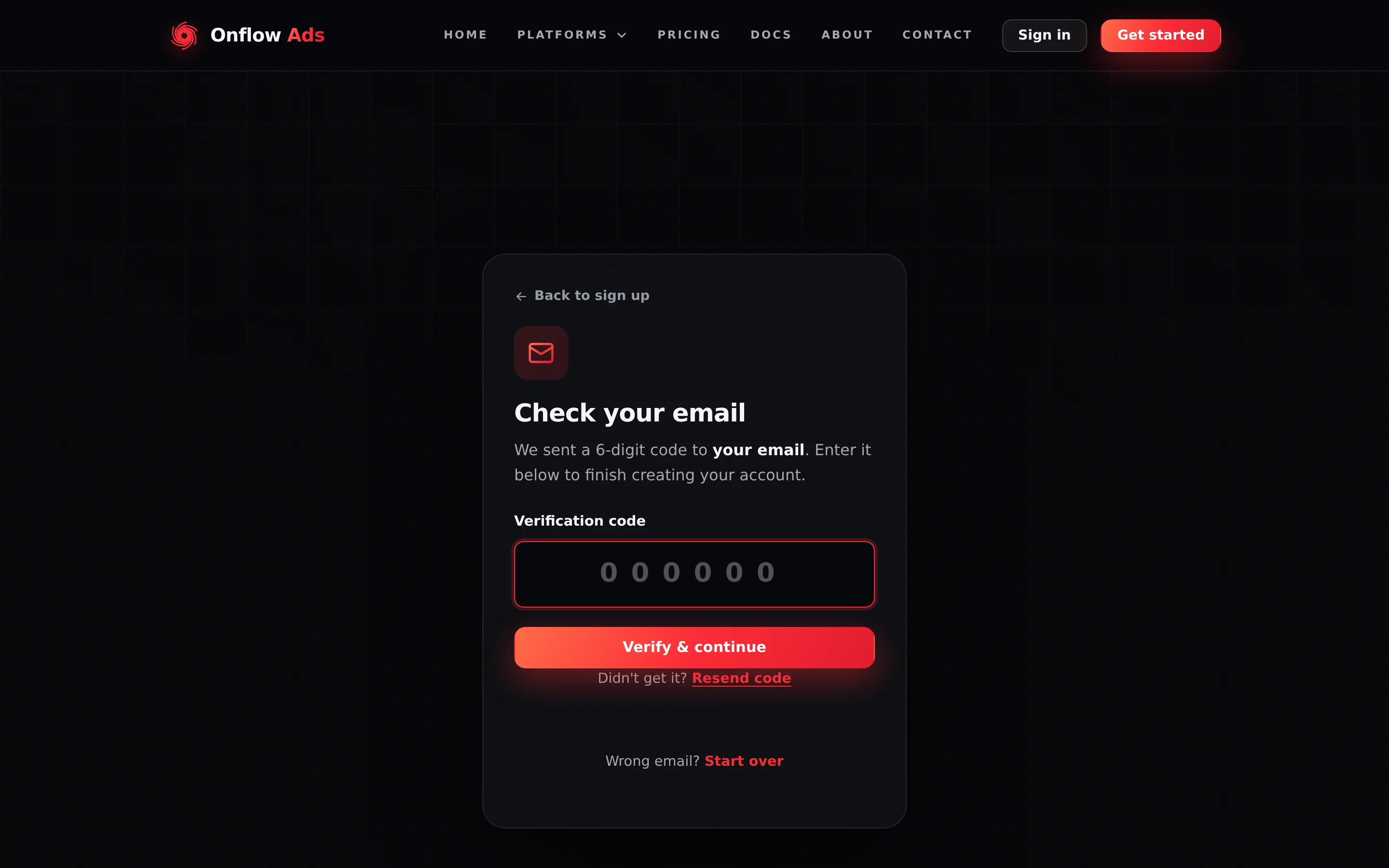
Signed out — the code screen you land on straight after signing up. The box takes digits only and submits by itself the moment you type the sixth one; the line under it counts down to when Resend unlocks.
Where this flow appears
The same code machinery serves four different jobs, and each one ends somewhere different. Knowing which you are in stops the endings surprising you.
| When | What the code proves | Where it ends |
|---|---|---|
| Right after sign-up | You control the address you registered | Signed in, on the site |
| Resetting a password | You control the address on the account | The Choose a new password step |
| Claiming an email on a Telegram-created account | You control the address you are attaching | The Telegram dashboard |
| Confirming a permanent marketplace role | It is really you taking a one-way decision | The Paid Promotions hub |
This page describes the first of them in full. The rules — code lifetime, attempts, resends, lockouts — are identical in all four.
An account created through Log in with Telegram skips this at sign-up: there is no real address to verify. It meets the same code machinery later, when it claims a real email to finish onboarding.
Step by step
- After you press Create account, you land on the Check your email page: "We sent a 6-digit code to [your masked address]. Enter it below to finish creating your account." The partly hidden address confirms where the code went.
- Open your inbox and find the email from Onflow Ads with the 6-digit code.
- Type the code into the Verification code box. It accepts digits only, and the page submits by itself the moment you type the sixth digit — you can also press Verify & continue.
- On success you see "Email verified — welcome to Onflow Ads!", a session is created on that browser, and you are taken into the site. A welcome email follows.
- Press Open dashboard on the launchpad and finish connecting your account.
Under the code box the page keeps you informed: a line reads "N resends left · code expires in 10 min", and after a resend a countdown shows "You can resend in Xs" until Resend code unlocks again. At the bottom, "Wrong email? Start over" returns you to sign-up.
The rules
| Rule | Detail |
|---|---|
| Code lifetime | 10 minutes. An expired code returns "That code expired. Tap "Resend code" to get a new one." |
| Attempts on one code | 5. Each miss reads "Incorrect code. N attempts left." |
| Resends per verification | 4, with a 60-second wait between them |
| Wrong codes per address | 10 in a rolling hour, counted across every session and browser |
| Codes emailed per address | 6 per hour |
| The whole verification session | 30 minutes |
| Lockout | 6 hours, on both the address and the network |
Two independent counters can trigger it: 5 wrong tries on one code, or 10 wrong tries against your address inside an hour. The second one is the one people run into, because it survives everything you might do to escape it — a new verification session, a private window, a fresh sign-up with the same address. While the lock is on, it also silences new codes from password reset, email change and marketplace enlistment. Nobody can lift it early.
Only 6 verification emails go to one address per hour. Hit that and Resend code answers "We couldn't resend the email. Please try again shortly." — the same message you would get from a genuine mail failure, because the page is not told which happened. If codes are not arriving, check spam before requesting more; a seventh request produces nothing.
Every resend invalidates the previous code. If two emails arrive out of order, use the one from the newest.
What happens on success
- The account is marked verified, and the sign-in and dashboard pages stop redirecting you here.
- You are signed in immediately on that browser — an ordinary 48-hour session. See Sessions and Staying Signed In.
- A welcome email arrives.
- Your OFA ID and referral code are already on the account; they were minted when it was created.
- One thing is still outstanding: the account is not connected to Telegram yet, so the engines stay closed until you finish connecting.
If something goes wrong
| What you see | What it means | What to do |
|---|---|---|
| That code expired. Tap "Resend code" to get a new one. | More than 10 minutes passed | Press Resend code and use the newest email |
| Incorrect code. N attempts left. | A digit is wrong, or you used an older code | Re-read the newest email carefully; N tells you what you have left |
| Too many incorrect codes. For your security this is locked for 6 hours. | An attempt counter hit zero | Wait 6 hours. Signing up again will not help |
| Please wait Xs before requesting another code. | The 60-second resend cooldown | Wait for the countdown |
| You've requested too many codes. Please sign up again. | You used all 4 resends in this session | Start over from the sign-up page |
| We couldn't resend the email. Please try again shortly. | Either the hourly issuance cap or a mail failure | Check spam; wait rather than requesting more |
| Your verification session expired. Please sign up again. | The 30-minute window closed | Sign up again with the same address and password — nothing is lost |
The page sends you to /signup on load | Nothing is waiting to be verified in this browser | Sign up, or sign in if the account is already finished |
| No email at all | Spam, promotions, a typo, or a mail provider delay | Check every folder, then press Start over to re-enter the address |
FAQ
Can I verify on a different device than I signed up on? No. The verification belongs to the browser that started it. Enter the code there. If that is impossible, sign up again from the device you are on.
Do I ever have to verify again? Not for this address. You will see a code again only if you reset your password or confirm a marketplace role.
Can I use my account without verifying? No. Signed-in pages check for a verified email and send you here first.
I closed the tab — is my sign-up lost? No. Within the 30-minute window, returning to https://onflowads.com/verify in the same browser resumes exactly where you were.
Related
- Creating your account — the step before this one.
- Connecting your account — the step after it.
- Limits and lockouts — every counter behind these messages.
- Account FAQ and troubleshooting — the short answers.