Manual Promos with CP Codes
A manual cross-promotion is one where you choose the partner yourself and pair up with a one-time CP code. It is the right route when you already know the channel owner you want to swap with — from a group chat, a community, or a past swap — and need Onflow Ads to run the agreement, the posts and the delivery.
The manual landing page is at https://onflowads.com/telegram/dashboard/cross-promotion/manual, reachable from the hub's Have a code? card.
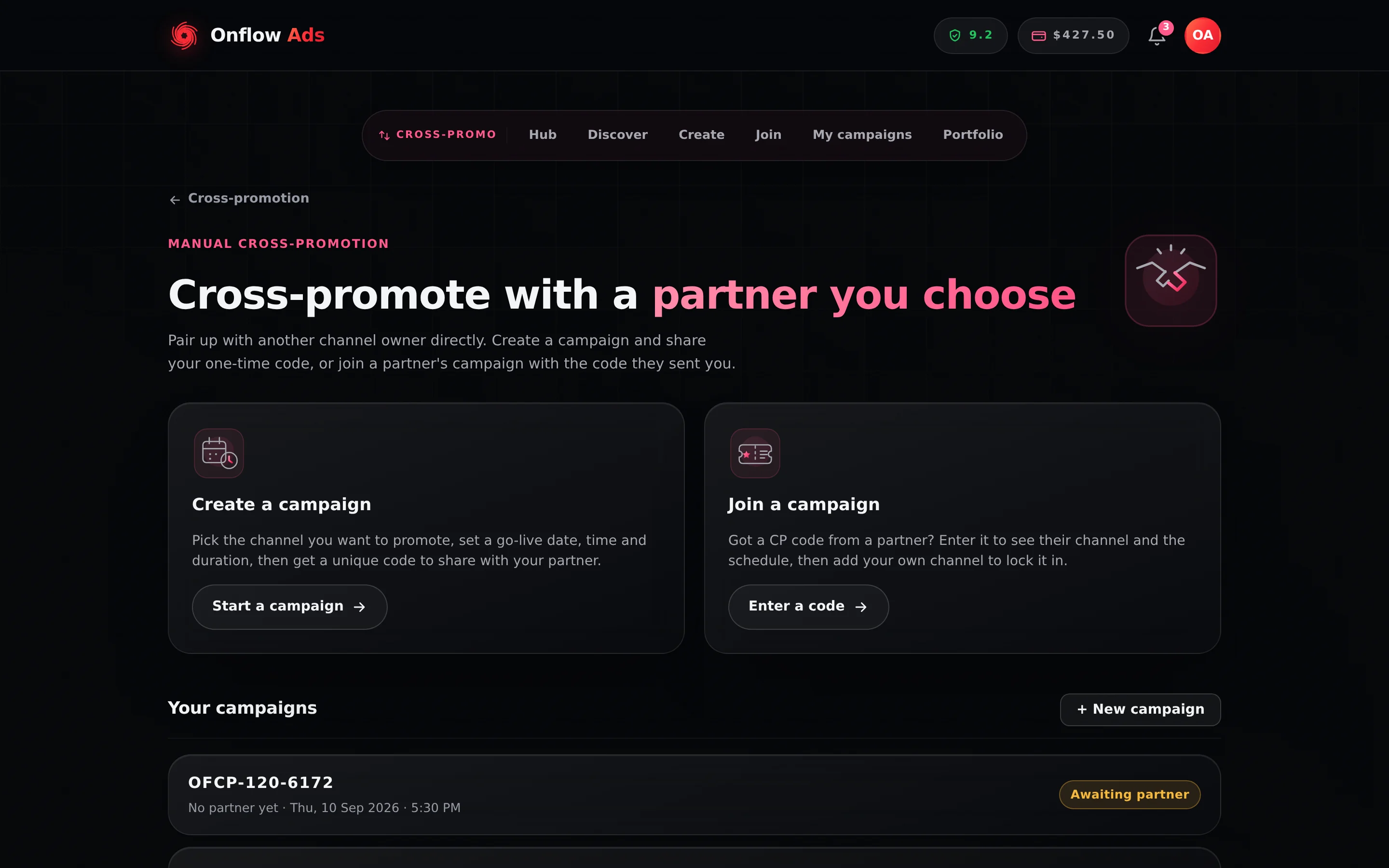
Plus plan · Advertiser. The manual page is the fork in the road: mint a code on the left, redeem a partner's code on the right. Your campaigns collect underneath.
What's on the page
| Card | What it says | Where it goes |
|---|---|---|
| Create a campaign | "Pick the channel you want to promote, set a go-live date, time and duration, then get a unique code to share with your partner." — Start a campaign | The create wizard |
| Join a campaign | "Got a CP code from a partner? Enter it to see their channel and the schedule, then add your own channel to lock it in." — Enter a code | The join page |
Below them, Your campaigns lists the campaigns you are part of, with a + New campaign shortcut.
How a CP code works
- Format:
OFCP-followed by three digits and then four, for exampleOFCP-704-2318. After the prefix it is digits only, so there are no ambiguous letters to mistype, and entry on the join page is forgiving — capitalisation, spaces and dashes do not matter. - One-time: exactly one partner can join with a code. Once joined, entering the same code takes each participant to their own campaign page instead.
- Expiry: if nobody joins within 24 hours of creation, the code expires automatically and you are emailed. Blitz campaigns are the exception — they stay open while collecting partners until launched or cancelled.
- Private by default: only someone you give the code to can join. You can optionally list the campaign on the open-campaigns board so well-matched strangers can find it too.
- Redeemed here: a code is minted and joined on the website. Send your partner the join page link along with the code, so they know where it goes.
The campaign also carries an OFC-… reference, shown on it and in every campaign email as Campaign ID. Use that one when you write to support — it identifies the swap without handing anyone the ability to join it. Keep the OFCP- code for your partner. Both are explained in The IDs a cross-promotion carries.
The Your campaigns list
Each row shows:
- the campaign's code, e.g.
OFCP-704-2318; - the pairing — "with @partnerhandle", or "No partner yet" while the code is unclaimed;
- the agreed go-live in your local time, once set;
- a status pill: Awaiting partner, In progress, Changes proposed, Confirmed or Expired.
Click any row to open that campaign at /telegram/dashboard/cross-promotion/campaign/YOUR-CODE.
Empty state: "No campaigns yet — create one to get a shareable code, or join a partner's with their code."
It hides cancelled campaigns. One you or your partner called off disappears from here entirely — it is not lost, it is on the My Cross-Promotions page under the Ended tab, which loads your full history.
Manual codes vs directory requests
Both routes end in exactly the same campaign — same schedule agreement, same post builder, same automatic delivery, same results. The only difference is how you pair up.
- Manual (code): you find the partner yourself and hand them the code. Nothing about them is pre-vetted for you — check their channel, and read the trust signals on the join page before committing.
- Directory (request): Onflow Ads shows you opted-in partners ranked by fit, with trust signals up front, and pairing happens on accept. See Partnership requests.
If something goes wrong
| What you see | What it means | What to do |
|---|---|---|
| A campaign you cancelled is missing from Your campaigns | Cancelled campaigns are filtered out of this list. | Open My Cross-Promotions and use the Ended tab. |
| Your partner says the code does not work | It expired at 24 hours, someone already joined it, or they are entering it somewhere other than the join page. | Walk the message table with them, then create a fresh code if needed. |
| "That's your own code — share it with a partner instead." | You entered a code you created on the join page. | Send it to the partner you want; manage your own side from the campaign page. |
Related
- Creating a campaign — the four-step wizard that mints your code.
- Joining a campaign — exactly what your partner sees when they enter it.
- Campaign lifecycle — what each status pill means and where the full history lives.
- Recurring promos — get new codes minted for you automatically instead of creating each one.
Next: Creating a campaign — the four-step wizard that mints your code.