Creating a Campaign
Creating a campaign mints a one-time CP code (it looks like OFCP-704-2318). You hand the code to a partner; when they enter it they see your channel and your proposed schedule, attach their own channel, and the two of you are paired.
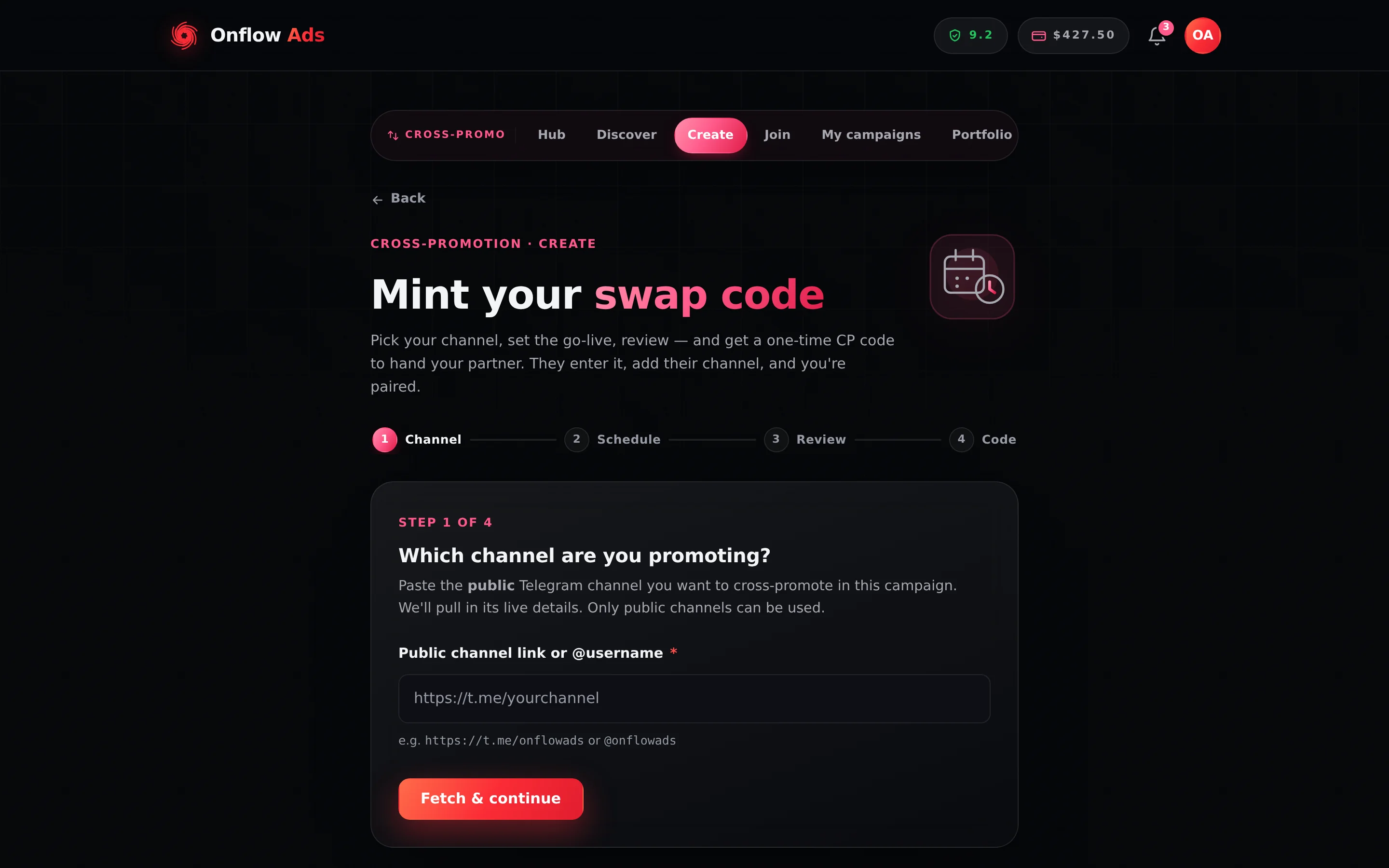
Plus plan · Advertiser. Step 1 of the create wizard. Start by pasting the public channel you want to promote; the page pulls in its live details and turns them into a card before you go further.
Before you start
- Your channel must be a public Telegram channel with an
@username. - The Onflow Ads bot must be an admin of that channel. The wizard walks you through adding it and lets you retry — nothing is created until the check passes. This is what lets the bot publish and remove the posts later.
- Your account needs a reliability score of at least 5.0/10 and no open review. A brand-new account with no score yet is allowed through.
- You need room in your monthly initiation allowance — see Rules and fairness.
Step by step
The wizard runs in four numbered steps — Channel, Schedule, Review, Code — with a progress strip at the top.
-
Open https://onflowads.com/telegram/dashboard/cross-promotion, choose Have a code?, then Start a campaign. (Direct link:
/telegram/dashboard/cross-promotion/create.) -
Step 1 — Channel. Paste your public channel link or
@username—https://t.me/yourchannelor@yourchannel— and press Fetch & continue. The page pulls the channel's live details and shows a card with its title, photo, subscriber count, average views, a ✓ Public badge and itsOFCH-channel ID. Once fetched, the button reads Continue. -
Channel genre. Pick from the fixed list: Crypto & Web3, Tech & Software, News & Media, Finance & Trading, Education & Courses, Books & Literature, Gaming & Esports, Entertainment, Marketing & Business, Lifestyle, Health & Fitness, Travel, Art & Design, Sports, or Other. It is saved on your channel, so you never enter it again, and it powers partner matching and the directory's genre filter.
-
Step 2 — Schedule. Set when the swap goes live and how long it runs.
- Timezone — detected from your device; press Change to pick another.
- Go-live date — any day within the next 14 days, from a calendar.
- Go-live time — hour and minute steppers, with a 12h / 24h toggle. The time must be in the future.
- Duration — how long both posts stay up: 12h (half a day), 24h (1 day), 36h, 48h, 72h, 96h or 168h (1 week).
-
Step 3 — Review. Check the channel card and the schedule, then decide two optional things:
- List this on the open-codes board — a checkbox. Ticked, your campaign appears on the public board so a well-matched member can find and take the slot. Left unticked, only someone you send the code to can join. You can toggle this any time while the campaign is still awaiting a partner.
- ⚡ Make it a Blitz — on the plans that include it, this turns the campaign into a one-to-many run with an Up to N partners selector. See Blitz campaigns.
The plan strip on this step shows your usage this month with a meter, plus what your plan includes: completion rewards, insurance, add-on discounts and Blitz capacity.
-
Press Create CP code. Step 4 shows the code on a ticket with a Copy code button (it flashes "Copied"), the campaign's own
OFC-ID beneath it, and View campaign and Back to dashboard links. -
Share the code with your partner however you normally talk to them. They enter it on the join page.
What each field means
| Field | What it controls | Limits |
|---|---|---|
| Channel link | Which channel you are promoting, and which channel will carry your partner's post | Public Telegram channels only; bot must be admin |
| Channel genre | Matching, and the directory's genre filter | One of the 15 fixed genres; saved on the channel |
| Timezone | The timezone your chosen time is read in | Any IANA timezone; auto-detected |
| Go-live date and time | The exact moment both posts publish | In the future, within 14 days |
| Duration | How long both posts stay up before the bot removes them | 12, 24, 36, 48, 72, 96 or 168 hours |
| List on the open-codes board | Whether strangers can find and take the slot | Off by default; toggleable until a partner joins |
| Make it a Blitz | One-to-many instead of 1:1 | Minimum 2 partners, up to your plan's cap |
On Step 2, Best day to go live suggests an upcoming date from your channel's own busiest posting weekdays and marks the pick with a note. It only ranks real, server-generated candidate dates, so it can never invent one. It spends one action from your shared AI text allowance, and it is only offered when there is enough posting history — otherwise it says "Not enough recent posts to recommend a best day yet — pick any date." and nothing is spent.
If nobody joins within 24 hours of creation, the code expires automatically, the campaign shows Expired, and we email you. It costs nothing from your allowance. Blitz campaigns are exempt — they stay open while collecting partners until you launch or cancel them.
View campaign opens the manage page, which shows the code again with a copy button, the "Unused codes expire 24 hours after creation" reminder, the board toggle, and Cancel campaign if you change your mind. You never need to save the code somewhere else.
If you hit your monthly limit
The create is refused with a message naming your plan, your usage and the plan that raises the limit — for example: "You've used all 5 cross-promotion initiations your Free plan includes this month. Lite raises that to 15 a month."
- Joining stays unlimited on every plan, so a cap never stops you swapping — only from being the one who starts it.
- Expired, cancelled and partner-abandoned campaigns are not counted. Only campaigns that found and kept a partner spend a slot.
- Nothing buys an extra initiation. The allowance resets on the 1st of each month; the only way to raise it before then is to upgrade. The ladder is on Rules and fairness.
What happens next
- You get a Telegram DM confirming the campaign was created, if your Telegram is linked.
- The campaign sits in Awaiting partner — visible in Your campaigns on the manual page and on its own campaign page.
- When a partner joins you are notified, and the campaign moves to Awaiting confirmation while they accept your schedule or propose changes.
- Once the schedule is confirmed, both of you build posts — see Creatives.
If something goes wrong
| What you see | What it means | What to do |
|---|---|---|
| An add-bot panel instead of a channel card | The Onflow Ads bot is not an admin of that channel. | Follow the panel's steps in Telegram, then press its retry button. Nothing is created until this passes. |
| "That channel isn't public, or it doesn't exist. Only public Telegram channels can be cross-promoted." | The link points at a private channel, or the handle is wrong. | Fix the handle, or make the channel public. |
| "Pick a go-live time in the future." | The chosen time has already passed in your selected timezone. | Pick a later time, or another day. |
| "Go-live must be within 14 days." | The date is outside the window. | Choose a date inside the next two weeks. |
| "Pick your channel genre from the list." | The genre select is still empty. | Choose one of the 15 genres. |
| "Cross-Promotion needs a reliability score of at least 5/10 — yours is X." | Your score is below the floor. | Finish deals already in flight; a clean streak also heals the score. See Rules and fairness. |
| "Blitz multi-partner campaigns unlock on a higher plan." | Your plan's Blitz capacity is zero. | Run a normal 1:1, or see Blitz campaigns for which plans include it. |
| "We couldn't reach Telegram from our server right now." | A transient Telegram outage during the channel fetch. | Wait a moment and press Fetch & continue again. |
| Wrong channel fetched | You pasted the wrong link. | Edit the link in Step 1 — changing it clears the fetched card so you can fetch again. |
Related
- Joining a campaign — exactly what your partner sees when they enter your code.
- Creatives: posts and delivery — writing the post that runs in their channel.
- Blitz campaigns — the ⚡ checkbox on Step 3, in full.
- Rules and fairness — the allowance the plan strip is counting.
Next: Joining a campaign — exactly what your partner sees when they enter the code you send them.