The dashboard home
Signing in puts you on the platform launchpad at https://onflowads.com/dashboard. Telegram is the live platform; choosing it opens the Telegram dashboard hub at https://onflowads.com/telegram/dashboard, which is where you will spend most of your time.
This page is a literal tour of that hub: what is on it, and what every number means.
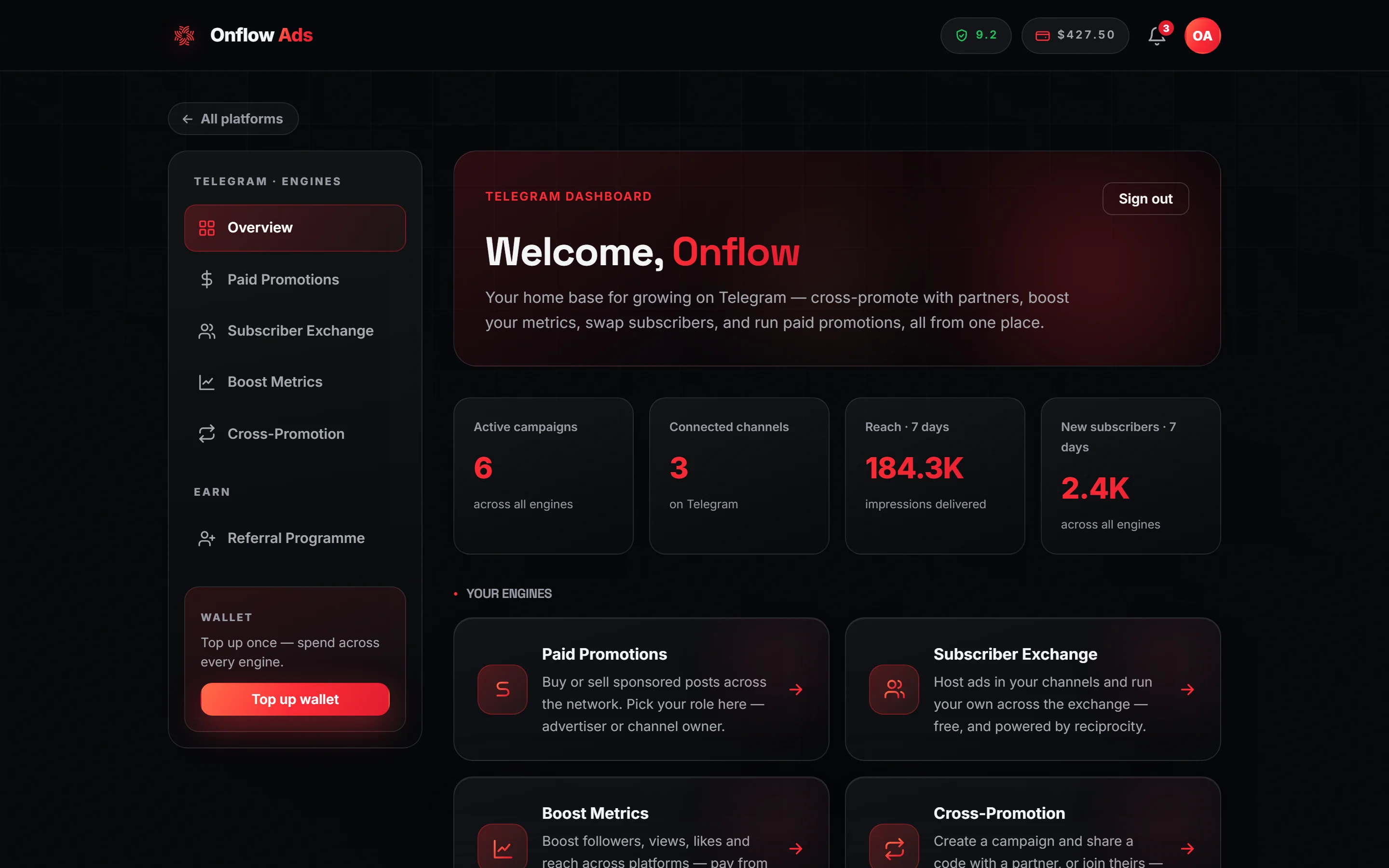
Plus plan · Advertiser. The hub with real numbers in it. Look at the sidebar first — those five entries and the wallet card are the whole navigation.
Before you start
- A signed-in account with a verified email address. Without one you land on the verification page instead.
- The onboarding gate cleared: an email account needs the Telegram bot linked; a Telegram sign-in needs a real email claimed. Otherwise
/telegram/dashboardredirects you to/telegram/link. - Nothing else. The hub has no plan requirement and no marketplace-role requirement — Free accounts see the same layout.
The sidebar
The sidebar is sticky on desktop. Below 1000px wide it becomes a horizontal rail you scroll sideways, and the wallet card collapses to its button alone.
| Entry | Where it goes |
|---|---|
| Overview | The hub itself — this page, marked as the current one |
| Paid Promotions | /telegram/dashboard/paid-promotion — buying and selling sponsored posts |
| Subscriber Exchange | /telegram/dashboard/subscriber-exchange — reciprocal ad hosting |
| Boost Metrics | /telegram/dashboard/boost — paid followers, views, likes and reach |
| Cross-Promotion | /telegram/dashboard/cross-promotion — free slot swaps with a partner |
Under them sits the wallet card: the label WALLET, the line "Top up once — spend across every engine." and a Top up wallet button that opens /telegram/dashboard/wallet.
Above the whole layout, a small All platforms link takes you back to the launchpad.
The AI writing helper is built into every post composer, so it is wherever you are writing the post. Support is the floating chat widget in the bottom-right corner of every page.
The welcome panel
The main column opens with a hero panel: the eyebrow Telegram dashboard, the heading Welcome, followed by your first name, and the line "Your home base for growing on Telegram — cross-promote with partners, boost your metrics, swap subscribers, and run paid promotions, all from one place."
A Sign out button sits in the top-right corner of that panel.
The four KPI tiles
The strip under the hero totals every engine at once. Each tile shows an em dash (—) until the numbers arrive, then counts up over about 1.2 seconds. A value under 10, or a browser set to reduce motion, appears instantly with no animation. Large numbers are abbreviated: 1,500 renders as 1.5K, 2,000,000 as 2M.
What the numbers mean
| Tile | Exactly what it counts |
|---|---|
| Active campaigns across all engines | Four counts added together: Cross-Promotion campaigns where you are the initiator or the joiner and the status is not completed, failed, cancelled, expired or declined; Boost orders that are pending, queued, in progress, processing, scheduled or submitting; Subscriber Exchange ads that are pending or approved; and Paid Promotions orders that are pending or active — counted whether you are the advertiser or the channel owner on that order. |
| Connected channels on Telegram | The number of rows in My channels further down the page. It is the same collector, so the tile and the list can never disagree. That means it counts channels across six different sources, not only the ones you consciously registered — see Managing your channels. |
| Reach · 7 days impressions delivered | Paid Promotions views measured on placements published in the last 7 days, on either side of the deal; plus Subscriber Exchange delivery views for your own ads; plus Subscriber Exchange delivery views for ads your channels hosted (both windowed on when the ad was posted); plus Boost view-units delivered. |
| New subscribers · 7 days across all engines | Your own side's subscriber gain on Cross-Promotion campaigns the bot marked completed inside the window, taken from the before-and-after snapshots it records; plus Boost member-units delivered. |
Four details are worth knowing before you read these numbers against another page:
- Boost is windowed on the order's creation date, not its delivery date. An order placed eight days ago and delivered yesterday contributes nothing to either 7-day tile. Expect this to disagree with the Boost page's own tile, on purpose. These two tiles answer a "what happened in the last 7 days" question and add Boost units to Paid Promotions and Subscriber Exchange figures windowed the same way, so a run is counted where it started. The Boost hub's Delivered on active runs tile answers a different question about Boost alone, and counts a run's whole lifetime total in the window it was last active in. Neither is wrong; they are not the same number and are not meant to be.
- Cross-Promotion contributes nothing to Reach. Cross-Promotion measures ad opens — clicks on the link in the post — not impressions, so counting them as reach would mix two different things. Those opens appear on the campaign and in the channel's story instead.
- Boost delivery is counted from what the provider still owes. Units delivered are the quantity ordered minus the quantity remaining. An order marked completed with no remaining figure counts as delivered in full; anything else the platform cannot measure counts as zero rather than being guessed at.
- An unmeasured Paid Promotions placement reads as nothing, not as zero. Only orders with a final measured view count are added, so a placement the monitor has not measured yet is left out of the total instead of dragging it down.
If the stats request fails or the backend is briefly unavailable, all four tiles keep their em dashes rather than repainting as 0. A dash means "not answered"; a 0 means the answer really is nothing. Refresh before concluding a campaign delivered nothing.
Your engines
The Your engines section is four cards in the same order as the sidebar. All four are live products, and each one opens the same destination as its sidebar entry.
| Card | Its own description |
|---|---|
| Paid Promotions | "Buy or sell sponsored posts across the network. Pick your role here — advertiser or channel owner." |
| Subscriber Exchange | "Host ads in your channels and run your own across the exchange — free, and powered by reciprocity." |
| Boost Metrics | "Boost followers, views, likes and reach across platforms — pay from your wallet and track delivery live." |
| Cross-Promotion | "Create a campaign and share a code with a partner, or join theirs — grow together with free slot swaps." |
The Paid Promotions card says "Pick your role here" and it means it: the advertiser / channel-owner choice is written once and cannot be changed afterwards. Read Paid Promotions for advertisers or for channel owners before you choose. The other three engines have no such choice.
My channels
The last section of the hub is headed My channels, with an Add a channel link in its heading and the lede "Every channel you have brought into any engine. Open one for its full record — what it measures, what it has run and what it has earned." Below that sits one row per channel, with chips showing which engines it has appeared in.
The rows are the way in, not just a record. What a click does depends on whether the channel has a registry record:
- It does → the row is a link to that channel's own dashboard: live Telegram figures, a trend line per metric, what each engine has done with it, lifetime earnings and spend, and a card per engine to start something new.
- It does not → the row opens the lighter channel story popup instead, because there is no
OFCH-reference and so no page to open.
| What you see | What it means |
|---|---|
| "Loading your channels…" | The list is still fetching |
| "No channels yet — add your first public channel to get started." | You have no channel in any engine |
| "Couldn't load your channels — refresh to try again." | The request failed; nothing is wrong with your channels |
The full anatomy of a row and the six places its data comes from are on Managing your channels.
Here is the same hub on a brand-new account, with everything at zero:
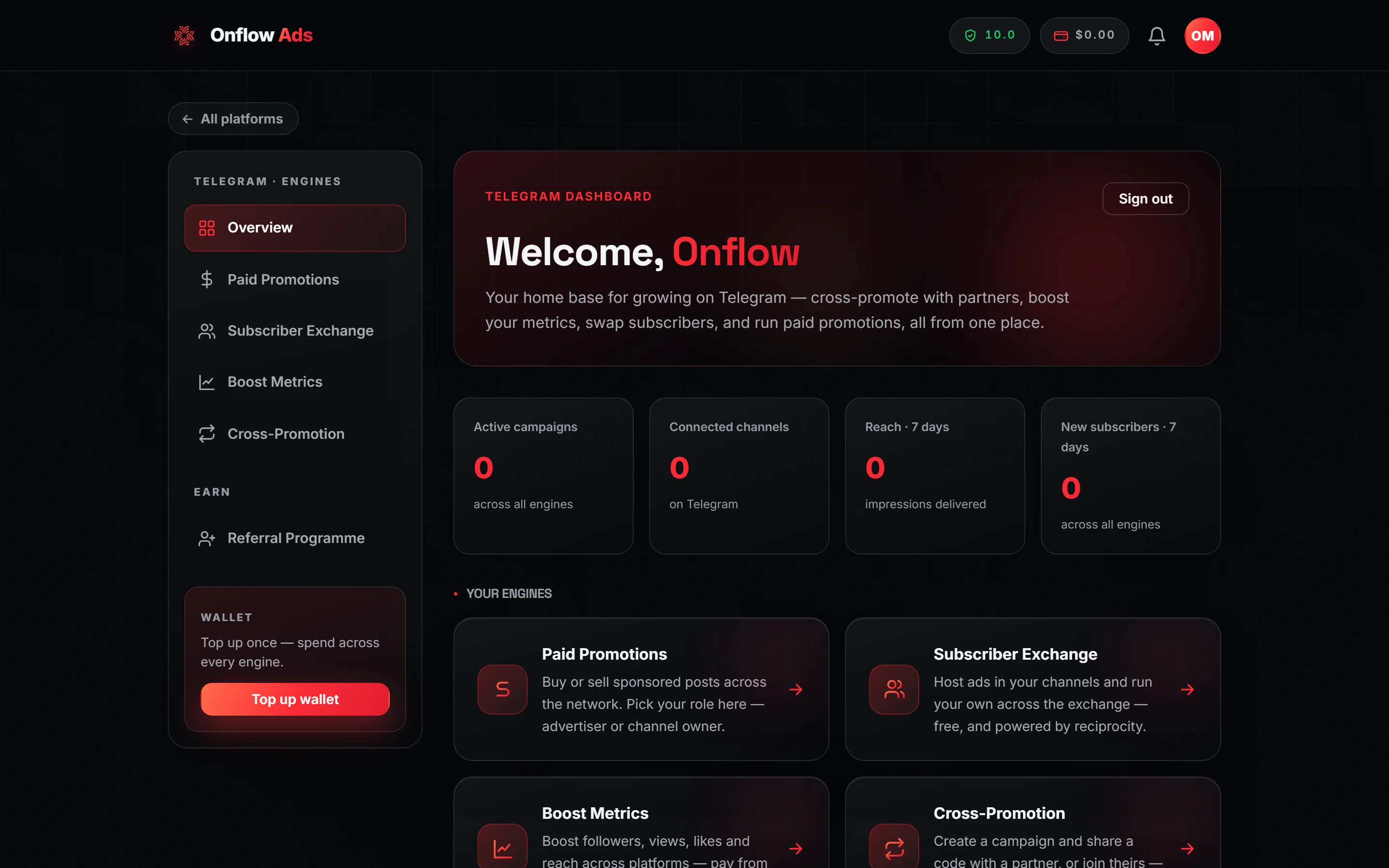
Free plan. A new account. The layout is the same on every plan; only the numbers differ, and here they are honest zeros rather than dashes.
Header tools on every page
Once signed in, a cluster appears in the site header on every page, left to right:
| Tool | What it shows | Where it goes |
|---|---|---|
| Reliability pill | A shield with your score to one decimal place, coloured by tier. Hovering shows "Reliability: tier · score/10" | Your reliability score |
| Wallet pill | Your current balance in US dollars | The wallet |
| Notification bell | Your unread count, capped at "99+" | Opens a popover; see Notifications |
| Account avatar | Your initials | A menu: Account, Dashboard, Help & Guide, Sign out — plus Upgrade plan on any plan below Ultimate |
At 720px wide and under, the reliability pill, the wallet pill and the bell all hide. The same three destinations — Reliability, Wallet and Notifications — appear as rows inside the avatar menu instead, with your score and balance printed beside them.
If something goes wrong
| What you see | What it means | What to do |
|---|---|---|
You are sent to /telegram/link instead of the hub | The onboarding gate: your account is not reachable in both directions yet | Link the Telegram bot, or claim an email address — the gate screen shows whichever half you are missing |
You are sent to /signin | You are not signed in, or the session could not be read | Sign in again |
You are sent to /verify | Your email address is not verified yet | Finish email verification |
All four tiles stay on — | The stats request failed or is still running | Refresh; your channels, orders and wallet are unaffected |
| A channel you own is missing from My channels | It has never been brought into any engine and has no registry row | Use the Add a channel link in the section heading, or start something with it in any engine |
| The numbers here disagree with an engine's own page | Almost always the 7-day windows: Boost windows on the order's creation date, and unmeasured placements are excluded | Read the engine's own page as the detailed truth; the hub is a roll-up |
Related
- Managing your channels — what the My channels list actually is
- A channel's own dashboard — what a registered channel's row opens
- The channel story popup — what an unregistered channel's row opens instead
- Adding a channel — how a channel gets into the registry
- Notifications — the bell, the feed and how each update reaches you
Next: Adding a channel — how a Telegram channel gets into your account.