AI quotas and limits
Every AI generation on Onflow Ads is metered against your account's allowance. AI is measured in actions, not money — nothing on this page touches your wallet, and there is no way to buy extra actions on their own.
Two allowances
| Allowance | Spent by | Available on |
|---|---|---|
| AI text actions | Every AI button that writes or reads words — drafting, refining, the overlap check, the proof explainer, the targeting copilot, the best-day advisor, the matchmaker, the blurb redraft | Every plan, including Free |
| AI images | The composer popup's Image tab on any engine, and Generate image with AI in the Paid Promotions booking wizard | Master and Ultimate only |
They are independent. Drafting a post never touches your images; generating a picture never touches your text actions.
The AI support chat has its own third meter, which is counted in messages rather than actions and is unrelated to both of these. See Onflow AI chat.
The ladder
| Plan | Text actions per day | Text actions per month | AI images per day | AI images per month |
|---|---|---|---|---|
| Free | 1 | 3 | 0 | 0 |
| Referral Premium | 1 | 3 | 0 | 0 |
| Lite | 2 | 8 | 0 | 0 |
| Plus | 3 | 12 | 0 | 0 |
| Elite | 4 | 16 | 0 | 0 |
| Master | 5 | 20 | 2 | 10 |
| Ultimate | 5 | 20 | 2 | 10 |
Master and Ultimate get the same AI allowance. Ultimate's advantages over Master are elsewhere in the product — see Comparing the tiers.
All four numbers can be adjusted per plan at runtime by the Onflow Ads team. The meter in the composer popup reads your live allowance, so if it disagrees with this table, the meter is right and this table is out of date.
Two windows, and the smaller one wins
Each allowance is capped on two windows at the same time:
- a daily window, which resets at 00:00 UTC;
- a monthly window, which resets at 00:00 UTC on the 1st.
A generation is refused the moment either window is full. The number you see in a meter or an error message is the smaller of the two headrooms, which produces the one result people find surprising:
On Lite you have 2 text actions a day and 8 a month. If you use 2 a day for four days, the month is finished on the 4th — and every day for the rest of the month reads
0 lefteven though the daily window is untouched.
The monthly window is what stops a whole month's allowance being spent in a week. Spread it out.
The Text today and Images this month meters in the AI popup are the only place your live allowance is shown — and since it is the same popup on all three engines, opening it anywhere tells you the same thing. Open it once before a heavy editing session and you will know whether you have room for a draft-then-refine pass, or only one attempt.
Reliability changes your allowance
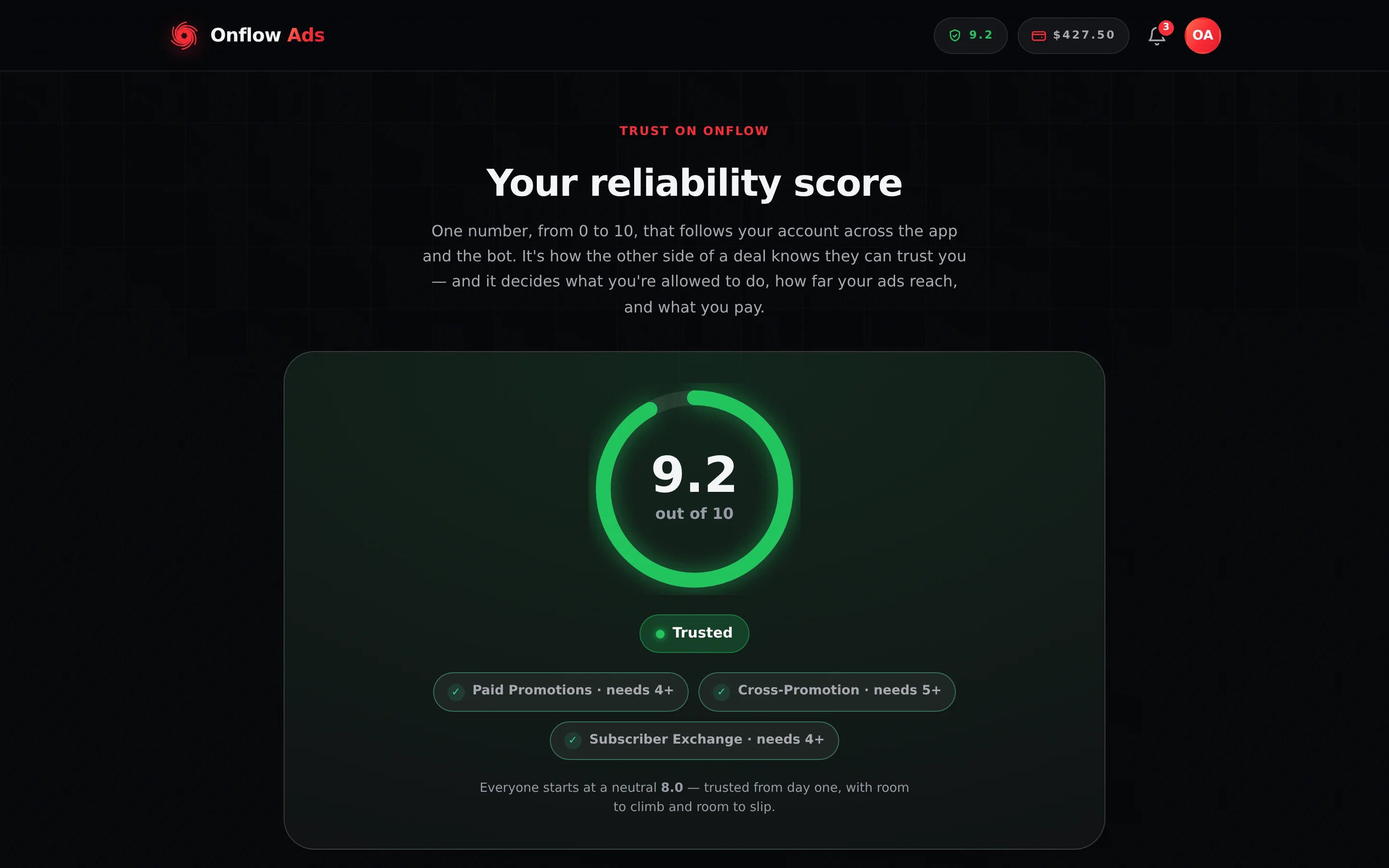
Plus plan · Advertiser. Your score sits in the header pill on every dashboard page. The AI effects below are read from this same number.
Your plan sets the ceiling. Your reliability score decides how much of it you actually get.
| Band | Score | What happens to text | What happens to images |
|---|---|---|---|
| Under review | — | All AI is off | All AI is off |
| Low | Below 4.0 | Clamped to the Free baseline on both windows — 1 a day and 3 a month, whatever you pay | Off |
| Building | 4.0 to 4.9 | Halved on both windows, rounded up | Off |
| Fair / Reliable | 5.0 to 8.9 | Your full plan allowance | Your full plan allowance |
| Trusted | 9.0 and above | Your plan allowance plus 20% on both windows, and never less than one extra | Your full plan allowance |
Worked through on Master: Building gives 3 text a day and 10 a month with no images; Fair gives the shipped 5 and 20 with 2 and 10 images; Trusted gives 6 a day and 24 a month, still with 2 and 10 images.
Images need all of: Master or Ultimate, reliability at Fair (5.0) or better, and no open review. A Master account that falls to Building keeps its text allowance at half rate and loses images entirely until the score recovers. The plan floor never moves in the other direction — a high score cannot unlock images on a plan that does not include them.
The developer API is banded the same way
There is one score, and it moves one set of allowances. If you hold a Boost API key, its requests per minute are now banded on exactly the thresholds in the table above: refused outright while you are under review, clamped below 4.0 to the lowest rate any plan sells the API at, halved and rounded up at 4.0 to 4.9, exactly your plan's rate from 5.0 to 8.9, and a fifth more at 9.0 and above — the same 20%, with the same "never less than one extra".
The practical point is that there is nothing separate to fix. One clean streak restores your AI actions and your integration's rate together, and one bad mark narrows both at once. The bands are worked out fresh on every call, so neither waits for you to reissue anything.
The rules and the exact figures are in Your reliability score; your plan's own keys-and-rate ladder is on The Boost API.
Testing accounts read as unlimited
An account the Onflow Ads team has flagged for testing gets unlimited text and images, images switched on regardless of plan, no reliability clamp, and reads as Ultimate in every meter. The composer popup shows the word unlimited in place of a bar.
This is a real state, not a display bug. If you see it on an account you did not expect it on, tell support.
Burst limits are separate and free
On top of the allowance, each AI endpoint has a short-window burst limit. Hitting one returns Too many attempts. Please wait a minute and try again. and costs nothing — no action is reserved and none is spent.
The popup's tabs are counted separately from each other, because each one calls a different endpoint — and the Generate tab's limit depends on which engine you opened it from.
| Control | Attempts allowed |
|---|---|
| The popup's Refine tab (and any text through the shared AI endpoints) | 20 per 5 minutes |
| Any image generation — the popup's Image tab, or Generate image with AI | 10 per 5 minutes |
| Generate, on a cross-promotion | 30 per 10 minutes |
| Generate, on a Paid Promotions booking — shared with Fix to pass | 40 per 10 minutes |
| Generate, in the Subscriber Exchange | 30 per 10 minutes |
| Run the compliance check (with the pre-flight) | 120 per 10 minutes |
| Targeting copilot | 30 per 10 minutes |
| Best day to go live | 40 per hour |
| Redraft my blurb with AI | 20 per hour |
Check overlap and Find my best matches have no burst limit of their own.
The table above is the only pacing there is — press a button and it runs, with no countdown in between. In normal use you will meet your daily allowance long before you meet a burst limit.
You are only charged for a result
The order is always: check the content policy, check your plan, check the limit, reserve one unit, call the model, and hand the unit back if anything at all went wrong. In practice:
| Situation | Charged? |
|---|---|
| A finished draft, refinement or image | Yes, one unit |
| A content-policy decline | No — the check runs before anything is reserved |
| The model returns nothing, or an empty result | No — refunded, and the message says so |
| An outage, a network failure, an unexpected error | No |
| A generated image that comes back malformed | No |
| A generated image Telegram will not accept | No, even though the generation itself succeeded |
| A generated image that cannot be saved to your ad post | No |
| Best day to go live falling back to the deterministic date | No — refunded |
| Find my best matches returning nothing that survives validation | No — refunded |
| Run the compliance check | Never, in any circumstance |
| Check overlap with no overlap found | No — no model call is made |
| Fix to pass on a post that already passes | No |
| Reading your meter, or reading an upgrade panel | No |
Every failure message on the site says no action was used or no image was used. If you see one of those and your meter went down anyway, that is a bug worth reporting.
The four walls, and what each one means
When you run out, the panel you see is chosen by why you are blocked.
| Wall | Title | What it means | Way out |
|---|---|---|---|
| Under review | AI is paused while your account is under review | A review is open on your account | It returns automatically when the review resolves. No upgrade helps |
| Reliability | Your AI quota is limited by reliability | Your score is Low or Building | Raise your reliability to Fair (5.0) with clean, on-time activity to restore the full allowance — or upgrade for a bigger one now |
| Plan cap | You've used today's AI actions, or this month's when the month is what ran out | You spent this plan's allowance | Wait for the reset (00:00 UTC for the day, the 1st for the month), or upgrade |
| Top of the ladder | You've used today's AI actions (or this month's) | You are already on the top AI plan | Wait for the reset. There is nothing to sell you, and the panel says so |
The panel names your current allowance and the next plan's, and links to the pricing page and to your reliability page. Reading it costs nothing — it is arithmetic over the plan ladder, not a model call.
When reliability is the blocker, the panel deliberately offers two routes and puts the free one first. Upgrading raises the ceiling but does not remove the clamp: a Low account on Ultimate is still clamped to the Free baseline. Fixing the score is the only thing that restores the allowance you already pay for.
When the team switches something off
Three operator controls change what you see, and none of them ever costs you an action.
| What is switched | What you see | What to do |
|---|---|---|
| AI globally | AI is temporarily unavailable. Please try again shortly. | Wait. Every non-AI part of the product is unaffected |
| One AI feature | This AI feature is currently turned off. | Other AI buttons keep working. Check the status page |
| The image engine only | Image generation is temporarily unavailable. Please try again shortly. | Text still works — images run on a different engine. See What powers the AI |
| The daily spend ceiling reached | Every AI surface reports itself unavailable | It clears at 00:00 UTC |
If something goes wrong
| What you see | What it means | What to do |
|---|---|---|
| You've used today's AI actions. They reset at 00:00 UTC. | The daily text window is full | Wait for 00:00 UTC, or upgrade |
| You've used this month's AI actions. They reset on the 1st of the month (UTC). | The monthly text window is full | Wait for the 1st, or upgrade for a bigger monthly allowance |
| You've used your daily and/or monthly AI actions. | A text window is full, and which one could not be read just then | Check the meters: if the daily one reads 0 left on a fresh day, the month is what is finished |
| You've used your AI allowance (daily and/or monthly). | The same, from the shared AI endpoints | Daily resets at 00:00 UTC, monthly on the 1st |
| You've used your AI image allowance. | An image window is full | Same reset times |
| Image generation is limited while your reliability recovers. | Your plan includes images; your score does not | See Reliability score |
| AI is paused on your account while a review is open. | A review is open | No action needed. It returns when the review closes |
The meter reads 0 left but you have not used AI today | The monthly window is spent | Wait for the 1st, or upgrade for a bigger monthly allowance |
| The meter says unlimited | A testing account | Expected on internal accounts; report it on yours |
| Could not read your AI allowance - you can still try. | The meter could not be read | Press the button anyway. The server enforces the real limit |
| Too many attempts. Please wait a minute and try again. | A burst limit, not your allowance | Wait a minute. Nothing was spent |
Related
- AI across Onflow Ads — every AI control and what each one costs.
- Reliability score — how the number that shapes your allowance is earned, and everything else it shapes.
- Comparing the tiers — the whole plan ladder, AI included.
- What powers the AI — why text can work while images cannot.