AI in the booking composer
The Paid Promotions booking wizard holds four AI controls, and they are designed to be used in order. Together they take you from a one-line brief to a creative that clears the channel's own pre-flight before you spend a penny on the placement.
They sit in two places. Draft with AI opens the shared AI popup — the same dialog Cross-Promotion and the Subscriber Exchange use — with a Generate tab and an Image tab, and an approval step before anything reaches your post. The other three are Paid Promotions' own and live in a single action row under the composer's fields: Fix to pass and Generate image with AI act on your post immediately, with no preview and no undo, and Run the compliance check screens the post and records the result.
The action row is not static. Each button is drawn only while it has something to do: Fix to pass appears while the pre-flight is failing, and AI compliance check appears while a check is owed — never run, or run and then edited, or run and failed.
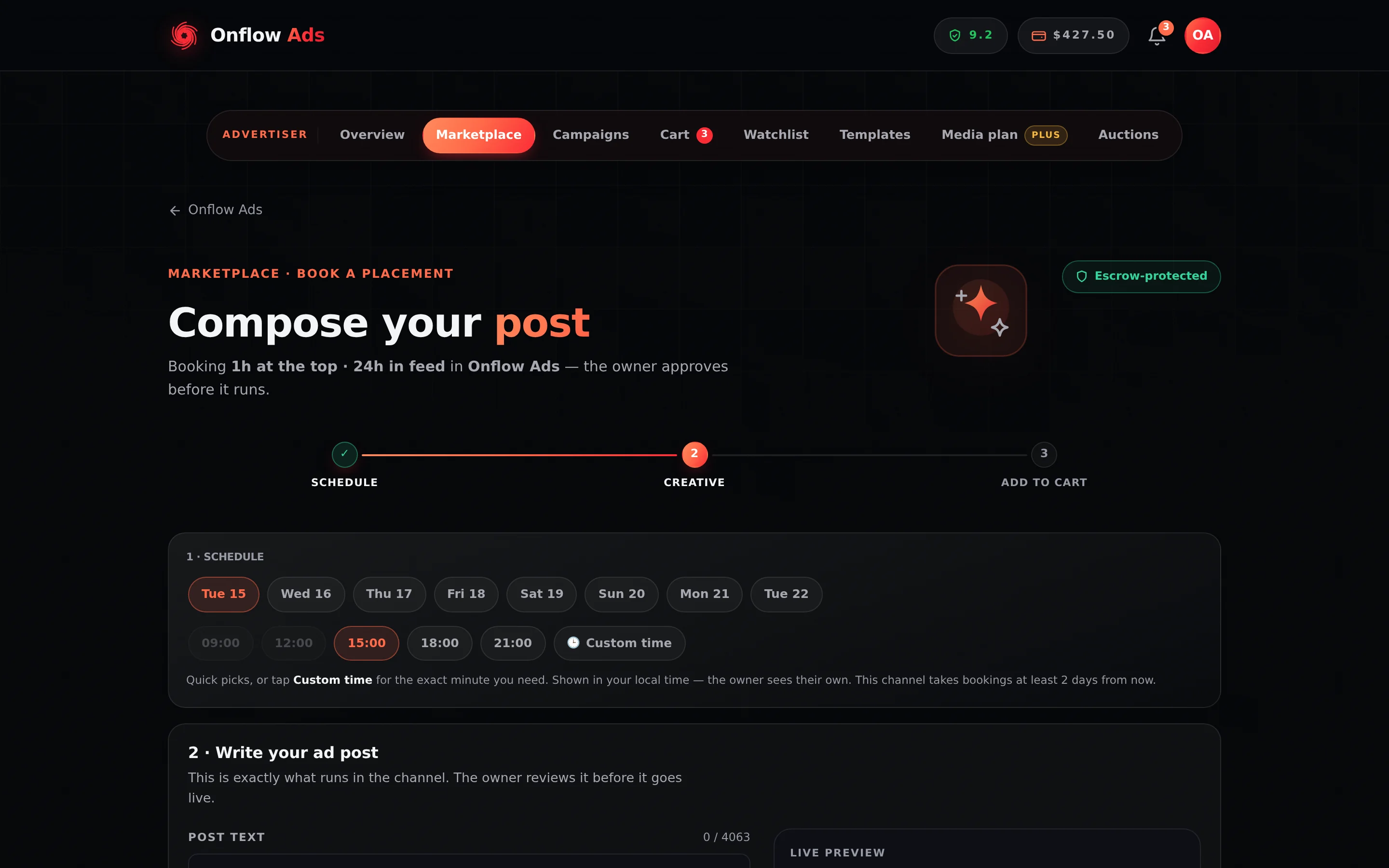
Plus plan · Advertiser. The booking page with a listing loaded. The AI controls live on the Write step (step 3 of 6), below the fields — and the row they sit in is drawn from what the post currently needs, so on this empty composer most of it is not there yet.
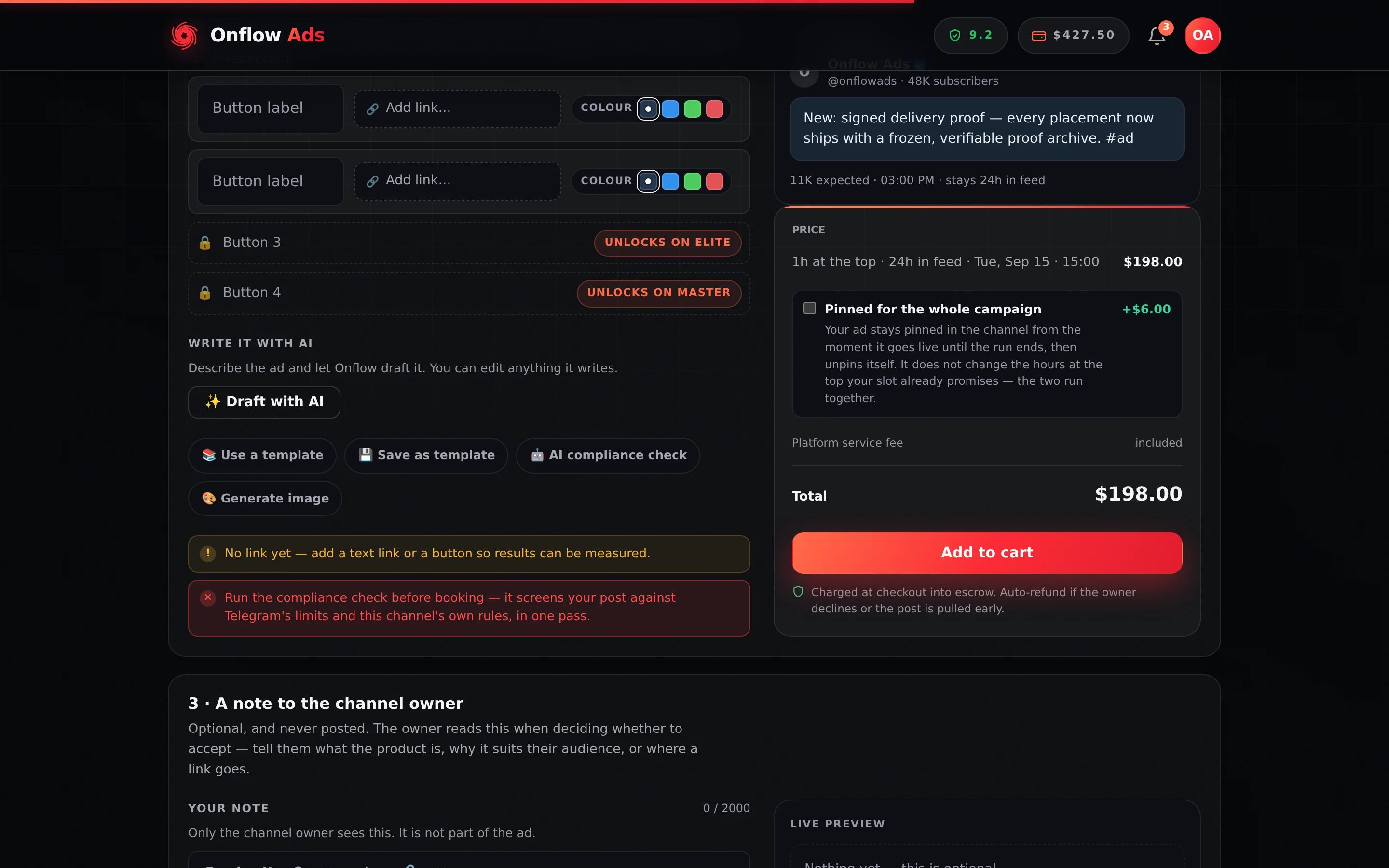
Plus plan · Advertiser — a post written, the compliance check owed. Run the compliance check appears the moment there is something to screen and disappears again once the post has passed and has not been edited since.
Before you start
- The advertiser side of the marketplace. All four controls are advertiser-only. Your marketplace side is permanent, so if you enlisted as a channel owner these buttons are not yours.
- A listing open. Every control is scoped to one channel, and none of them is drawn at all until a listing is loaded — including Draft with AI. There is no such thing as a channel-less draft here.
- Any plan for the three text controls, including Free — subject to your text allowance.
- Master or Ultimate for Generate image with AI.
Step by step
- Open Paid Promotions → Marketplace, pick a channel, and press through to Book a placement.
- On the Write step, press Draft with AI, type a brief into What should the post say?, press Generate, read the preview and press Apply to my post. The draft lands in the post box and the pre-flight re-runs against it.
- Read the pre-flight list under the post. Green ticks pass, amber exclamation marks are warnings, red crosses are blocking failures.
- If there are red crosses, press Fix to pass. The button only exists while something is failing. The rewrite targets exactly those failures and leaves the offer, tone and language alone.
- Press Run the compliance check. It screens the post against Telegram's limits and this channel's rules in one pass, costs nothing, and is required before the placement can go in your cart. Edit the post afterwards and it has to run again — the page tells you so at the time.
- Optionally press Generate image with AI to draw a photo into a media slot.
- Edit the post until you are happy with it, then add the placement to your cart.
What each control does
Draft with AI
Opens the shared AI popup. Its Generate tab writes a fresh ad post from your brief: the dialog wants at least three characters, the server wants six, and the first 400 reach the model. The result waits in the dialog's preview and touches nothing until you press Apply to my post.
What makes this different from a generic drafter is that the prompt states this channel's own rules: whether links are allowed at all, whether the owner asks posts to be marked as sponsored, and their prohibited-topics list. A draft written for a no-links channel will not contain a link.
A draft comes back as plain words — Markdown fences and wrapping quotes stripped — so any bold, italic or links are yours to add afterwards. A reply longer than Telegram's 1,024-character caption limit is refused rather than cut: you see Couldn't draft that just now — no action was used and nothing is spent.
Cost: one text action. Full detail in Drafting a post from a brief.
Fix to pass
A button in the composer's action row that appears only when the server found blocking failures for this channel. The prompt lists those exact failures and asks for a rewrite that clears them while keeping the same offer, tone and language.
Unlike the popup, this one writes straight into your post — there is no preview and no undo. It is given your post with its formatting intact and asked to keep every link exactly as written, so a link survives the rewrite.
Two behaviours worth knowing:
- If the post already passes, the server answers Nothing to fix — this post already passes pre-flight. and no action is spent.
- If you edit the post while the request is in flight, the result is discarded rather than overwriting your newer text. The button simply appears to do nothing; press it again.
Cost: one text action, or nothing when there was nothing to fix.
Fix to pass is a compliance rewrite, not a writing pass. It aims at the specific rows the pre-flight flagged — a link in a no-links channel, a prohibited topic, an over-long caption — and it does not otherwise try to improve your copy. There is no general-purpose Refine in the booking wizard.
Run the compliance check
One press, both halves. The check runs Telegram's own hard limits and the channel's rules in the same pass, and reports the hard half first:
| Half | What it is | Verdict |
|---|---|---|
| Telegram's limits | Caption length (4,096 characters, or 1,024 with media attached), album-and-button combinations, half-filled button rows — everything the platform will simply refuse to publish | Blocking. Deterministic, not a model's opinion |
| This channel's rules | The owner's links policy, their prohibited-topics list, and whether the post reads as a sensitive category | Blocking when the model finds a clear conflict; a note when the post merely reads as sensitive and the owner has not ruled it out |
These used to be two separate things: the length check lived in the composer's own list and the compliance check asked the model only about the channel's rules. A post 300 characters over Telegram's limit could therefore be told it was "compliant", and then be refused at the moment it mattered. Now the same press answers both, and a pass means within Telegram's limits and this channel's rules — the exact words the notice uses.
The button only appears when the check is owed
It is no longer always there. A control that sits there permanently is a control nobody reads; one that appears when something is needed is an instruction. So:
| Your post | The button |
|---|---|
| Empty | Not drawn. There is nothing to screen |
| Written, never checked | Run the compliance check |
| Checked and passed, unedited since | Not drawn. There is nothing left to do |
| Checked and failed | Re-run the check — re-running is the whole remedy, so it stays |
| Checked, then edited | Run the compliance check again — the verdict belonged to the words you just changed |
Editing retires the verdict, and says so
A verdict belongs to a piece of writing, not to a session. Change a word after it passed and there is no longer a screened version of this ad, so the gate reopens — and you are told at the time, not three screens later at the cart:
Your post changed — Run the compliance check again before booking — it screens the post as it reads NOW, against Telegram's limits and this channel's rules.
The notice is debounced, so typing a sentence raises one reminder rather than one per keystroke.
What you see when it finishes
| Outcome | The notice |
|---|---|
| Clean | ✅ Compliance check passed — Within Telegram's limits and this channel's rules. |
| Passed, sensitive category | ⚠️ Passed, with a note — the category, as information. The owner's rules are still the only rules |
| A Telegram limit broken | ❌ One thing to fix first (or n things to fix first) — the hard failure, in the platform's own terms |
| The channel's rules flagged | ❌ Compliance check flagged this post — the issue in a dozen words or fewer |
| The model was unreachable | ✅ Compliance check passed — Within Telegram's limits. The AI screen was unavailable, so the owner reviews this one unaided. The run is still recorded; you are not stranded on an outage |
A flagged verdict also adds a red blocking row to the pre-flight list, not an amber one. It used to be a warning an advertiser could scroll past, which meant the first person to actually read a flagged ad was the channel owner it was addressed to — in a notification, with an Accept button under it.
Nothing goes in the cart until it has run against the post as it currently reads. Pressing Add to cart without it raises Run the compliance check first, with a Run it now button in the notice itself. A failed verdict blocks the add outright.
Run the compliance check does not spend an AI action. It is an unmetered pre-screen, so you can run it on every creative and after every edit without watching your meter. Nothing else in the booking wizard is free.
The screen is stored server-side against your saved ad post, keyed to a hash of the caption — so the browser and the server agree about what "checked" means, and the button never promises something checkout will refuse. That is also why the ad post has to exist before the check runs; if it cannot be saved you see Couldn't start your ad post — try again. rather than a misleading check failure.
Generate image with AI
Draws a photo straight into the next free media slot of your saved ad post — the same slot a manual upload fills. Like Fix to pass, it writes into the page directly: no preview, no undo.
- The prompt is your ad post text, trimmed to 400 characters. There is no separate image brief field on this page, so write the post first — an empty post answers Describe your ad first — a brief or the post text.
- How many slots you have depends on your plan.
- Slots stay in order, so the picture fills the first free one. When every slot is full, the last one is replaced.
- A generated photo deletes any video already attached to the post. Photos and a video cannot coexist on one ad post.
Cost: one AI image. See Generating ad images.
What each control costs
| Control | Costs | Refunded when |
|---|---|---|
| Draft with AI → Generate | 1 text action | The model returns nothing, or the draft comes back over the caption limit |
| Fix to pass | 1 text action, or nothing when the post already passes | The model returns nothing |
| Run the compliance check | Nothing, ever | — (required before add-to-cart) |
| Generate image with AI | 1 AI image | The image is empty, unusable, or cannot be written into your ad post |
Burst limits apply on top of your allowance and cost nothing: 40 drafting or fixing attempts per ten minutes, 10 image attempts per five minutes, and 120 pre-flight runs per ten minutes.
If something goes wrong
| What you see | What it means | What to do |
|---|---|---|
| No AI controls in the composer at all | No listing is loaded | Open the page from a channel in the marketplace |
| No Fix to pass button | The pre-flight has no blocking failures for this channel | There is nothing to fix. Warnings are not failures |
| No Run the compliance check button | Either the post is empty, or it has already been checked and not edited since | Nothing is owed. Write or edit the post and it returns |
| The button reads Re-run the check | The last verdict on this exact text was a failure | Fix what the notice named, then re-run |
| Your post changed — run the compliance check again before booking | An edit retired a verdict you already had | Run it again. It screens the post as it reads now |
| Run the compliance check first on Add to cart | The check has not run against the post as it currently reads | Press Run it now in the notice |
| The compliance check flagged this post on Add to cart | The last verdict was a failure | Edit the post and re-run. A flagged post cannot be booked |
| Tell the AI what the post is about first. | The brief is under three characters | Write a sentence |
| Describe the ad you want, and I'll draft it. | The brief cleared three characters but is under six | One sentence is enough |
| Write your ad post first. | Fix to pass or the compliance check ran on an empty post | Draft or write something first |
| This post already passes. | Fix to pass found nothing to change | No action was spent. Read the pre-flight rows again |
| Couldn't run the compliance check right now — try again in a moment. | The pre-flight request itself did not complete | Retry. Nothing was spent, and no verdict was recorded |
| Compliance check passed — the AI screen was unavailable | The deterministic half ran and passed; the model could not be reached | You are not blocked. The channel owner reviews this one unaided |
| Couldn't draft that just now — no action was used. / Couldn't fix that just now. | The model returned nothing, or the draft was over the caption limit | Retry. Your allowance was not charged |
| You've used today's AI actions. or You've used this month's AI actions. (with the reset time) | Your daily or your monthly text allowance is finished — the message names which | See AI quotas and limits. The meters in the popup show which window is empty |
| Describe your ad first — a brief or the post text. | Generate image with AI had nothing to work from | Write the post. There is no brief field on this page |
| AI image generation isn’t included on this account. | The image floor | Nothing was spent. See Generating ad images |
| Couldn't start your ad post — try again. | The ad post could not be saved before the image was drawn | Save the creative first, then retry |
| Too many attempts. Please wait a minute and try again. | A burst limit | Wait and retry. Nothing was spent |
Related
- The AI composer popup — the dialog behind Draft with AI.
- Booking a promotion — the whole booking wizard, AI aside.
- Generating ad images — the plan floor and both image paths.
- AI helpers across Onflow Ads — Check overlap in the cart and What does this prove? on your orders.
- AI quotas and limits — what each attempt spends.